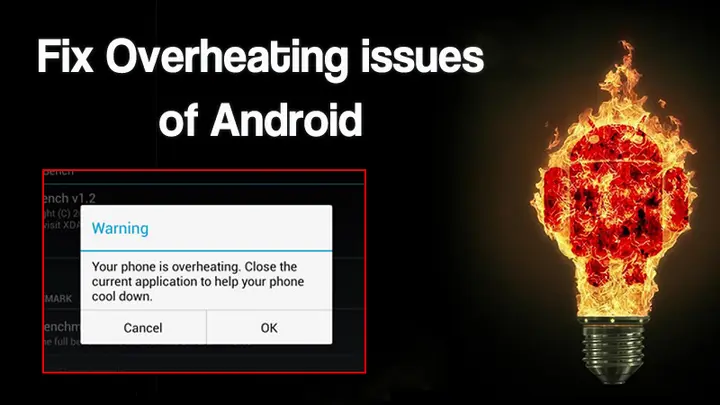
Does your phone feel like a hot potato in your pocket?
Is it getting slow, dimming the screen by itself, or refusing to charge?
I first wrote this post in May 2017, in the middle of summer. Phones have changed a lot since then, but they still get hot.
Some of my 2017 tips still work. A few don't, like pulling out the battery, which most phones can't do now.
Here, I'll cover why your phone overheats, what it does to protect itself, how to cool it down and how to stop it happening again.
Also Read: How to Increase Battery Life on Android (2 Methods, No Root)
TL;DR
- Warm is normal, too hot is not: every phone gets warm when it works hard. If it's too hot to hold comfortably, give it a break.
- Common causes: summer heat, heavy gaming, using the phone while it charges, maximum brightness, heavy data use and misbehaving apps.
- Cool it down fast: unplug the charger, take off the case, move it out of the sun and turn on Flight Mode for 15 to 20 minutes.
- Stop it happening again: keep it out of the sun, don't game or stream while charging, lower the brightness and find the app draining your battery.
- Don't: put a hot phone in the fridge or freezer, or try to pull out the battery, since most phones don't have a removable one.
Is It Normal for a Phone to Get Warm?
Yes. Google says Pixel phones are designed to run warmer than the air around them, and every phone gets warm when it works hard.
Warm is fine. Too hot to hold comfortably is not.
Why Does Your Phone Overheat?
These are the common causes, with a quick fix for each.
| Cause | Quick fix |
|---|---|
| Summer heat and direct sunlight | Move it into the shade and out of the car |
| Heavy gaming | Take a break after each level or mission |
| Using the phone while charging | Stop gaming or streaming until it's charged |
| Maximum brightness | Lower it, or turn on "Adaptive brightness" |
| Too much data | Use Wi-Fi instead of mobile data |
| A misbehaving app | Restrict or uninstall it in "Battery usage" |
Summer Heat and Direct Sunlight
This one hasn't changed since 2017.
A phone sitting in the sun, on a car dashboard or in a hot car heats up fast, even when you aren't using it.
Heavy Gaming
People buy powerful phones to play games, and that's fine. I'm not going to tell you to stop.
But long gaming sessions push the processor hard, and that means heat.
Using Your Phone While Charging
Charging makes heat, and so do gaming and streaming. Do both at once, and you get a lot of heat.
Google lists "doing any of these while charging" as one of the main reasons a Pixel gets warm.
Maximum Brightness
A bright screen uses more power, and more power means more heat.
Too Much Data
Big downloads and uploads, long video calls, streaming, using your phone as a hotspot and recording HD video all make your phone work hard.
A Misbehaving App
Sometimes one app gets stuck doing something in the background. Your phone can get warm in your pocket even though you're not using it.
If your battery is also draining fast, this is usually the reason.
Also Read: Bitcoin Mobile Miner: Mine Bitcoin on Your Android Phone (Not Working)
What Your Phone Does When It Gets Too Hot
Here's something most people don't know: your phone protects itself.
According to Google's Pixel help, when a Pixel gets too hot it can:
- Slow down the processor
- Charge more slowly
- Turn off the camera flash, and sometimes the camera
- Turn off mobile data or Wi-Fi, partly or fully, including 5G
- Switch to a low power mode
If it keeps getting hotter, it shows a warning and turns itself off.
When your hot phone feels slow, it isn't broken. It's slowing down on purpose to cool off.
Most phones do something similar.
How to Check Your Phone's Temperature
On newer Pixel phones (Pixel 6 and later), go to "Settings" → "Battery" → "Battery diagnostics" → "Phone is very warm".
It shows an estimated temperature and a state like Normal, Warm or Elevated, plus tips for what to do.
On other phones, look in the battery or device care section of "Settings".
How to Cool Down an Overheating Phone Right Now
- Unplug the charger.
- Take off the case, if it has one.
- Move it somewhere cooler, out of the sun.
- Close the game, video call or camera you were using.
- Turn on Flight Mode and leave the phone alone for 15 to 20 minutes. I called this my "Bro Tip" in 2017, and it still works.
Don't use the phone until it has cooled down.
Please don't put it in the fridge or freezer. Let it cool down slowly at room temperature.
How to Stop Your Phone From Overheating
- Keep it out of direct sunlight and out of hot cars.
- Don't leave it in a closed, stuffy place like under a pillow or in a bag, especially while charging.
- Lower the brightness, or turn on "Adaptive brightness".
- Take breaks while gaming. Play one level or one mission, then give your phone a rest. Same advice as 2017.
- Don't game or stream while charging.
- Use Wi-Fi instead of mobile data when you can.
- Use the charger that came with your phone, or a good certified one.
- Use a case made for your phone model.
- Update your phone and apps. Updates can fix bugs that make a phone run hot.
- Find the app that's draining your battery in "Settings" → "Battery" → "Battery usage", and restrict or uninstall it.
Also Read: How to Boost Game Performance on Android (No Root Needed)
What I Got Wrong in 2017
I'll be honest here: a few of my old tips need fixing.
"Remove the battery." Most phones today don't have a removable battery, so turn it off or use Flight Mode.
"Switch off the internet when you're not using it." Not needed: normal browsing won't overheat a healthy phone, but heavy data use, like a hotspot or huge downloads, will.
"Don't attend calls while charging." A quick call on a good charger is fine, but avoid heavy stuff like gaming.
"Use a cleaner app, then uninstall it." Skip cleaner apps completely, since they don't cool your phone.
If you need to free up space, use Files by Google. I explain why in my post on the worst Android apps to avoid.
When Should You Get Help?
Get your phone checked at an authorised service centre if:
- It keeps turning itself off because of heat.
- It gets hot even when you're not using it, and restarting doesn't help.
- The back or the screen is lifting, or the phone looks swollen. That can mean a swollen battery. Stop using it and stop charging it.
Final Thoughts
Phones today are much smarter about heat than the ones I wrote about in 2017. They slow down, stop charging and even turn themselves off before things get dangerous.
Your job is simple. Keep it out of the sun, don't game while charging, and give it a break when it gets hot.
FAQs
Why does my phone get hot when I'm not using it?
A misbehaving app running in the background, or a phone that's charging or sitting in the sun, can stay warm even when idle. If it gets hot with no use and restarting doesn't help, get it checked at an authorised service centre.
What should I do if my phone is overheating right now?
Unplug the charger, take off the case, move the phone somewhere cooler and close the app or game you were using. Then turn on Flight Mode and leave it alone for 15 to 20 minutes.
Is it OK to put an overheating phone in the fridge?
No, don't put it in the fridge or freezer. Let it cool down slowly at room temperature instead.
Can I remove the battery to stop my phone from overheating?
Most phones today don't have a removable battery. Turn the phone off or use Flight Mode instead.
Does a hot phone slow down on purpose?
Yes, when a Pixel gets too hot, it can reduce processor speed, charge more slowly and turn off the camera flash. Most phones do something similar, so a phone that feels slow while hot is cooling itself down.
Still stuck? Tell me through the contact page.

Topics
Comments (19)
Comments are closed. Have a question about this article? Ask through the contact page.


hi bro i need your theme setting can u plz give me
It is stock settings.
so what i need it any seting any script whatever plz best of luck for your maths examm
plz send it to me
its a eleven 40 theme i installed it but it not looks like yours top header and many features
waiting for ur reply
or copy ur full edit theme coding and paste it in a .txt file and upload it it will easy
I am not that much pro :( But i can suggest you to install CM 13 or CM 12 for your mobile phone
bro but usse kyahoga yrr
mujhe to theme ki setting chaiye na
ki cm 13
Hey bro I want to update my motovg 1st gen but the problem is that my phone is rooted. How cam I update my phone Pls tell me bro
You can simply flash custom rom on your android Device????
Hay broo..
What happen ? When we charge our mobile whole night????
Repley fast..
Hay broo..
What happen ? When we charge our mobile whole night???? any demage?
Repley fast..
If you are charging your mobile overnight your mobile will get heated and there are chances that because of heating issues your device circuits such as motherboard, IC and other stuffs may misbehave...
Hay bro in my mobile hotsopt and WiFi is not working.when I am enable WiFi and hotspot they are only disable .
You can use only one thing at a time wifi or hotspot
I know....
I not use both at same time
Hey Umang, Try formatting your device or else this is just because you have rooted device. May I know your device name?
Micromax unite A092.
I already resat my mobile but no result.
I will suggest you to install custom ROM on your android device with the help of this tutorial ---> http://forum.xda-developers.com/android/development/micromax-unite-a092-custom-rom-cyanogen-t3106184
Some time I root my mobile but after I unroot.
It happens bro