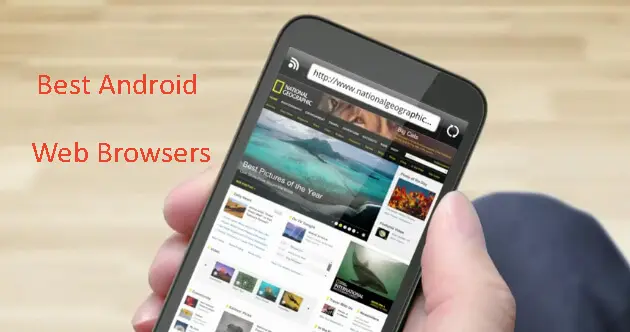
Looking for a better browser for your Android phone?
Chrome comes preinstalled on most phones. But it isn't the only good choice, and for a lot of people it isn't even the best one.
In this article, I'll cover the 8 best browsers for Android, what each one does well, and what it costs.
The short answer: Chrome if you live in Google's apps, Firefox if you want real extensions like uBlock Origin, and Brave if you want ads gone without touching a single setting.
When I first wrote this list in 2018, it was full of UC Browser, Dolphin and other "fast download" browsers. Most of them have dropped off the list since.
Many of today's best browsers block ads and trackers on their own.
Also Read: How to Block Pop-Up Ads on Android (No Root Needed)
TL;DR
- Chrome: the easiest pick if you already use Google's apps, but it has no extensions on Android.
- Firefox: the pick if you want extensions, including uBlock Origin.
- Brave: ads blocked from the first launch, with no setup needed.
- Samsung Browser: the best choice on a Galaxy phone, and free to install on other Android phones.
- What to avoid: the "fast download" browsers from my 2018 list. Most have dropped off, and I no longer recommend the UC Browser apps.
Best Browsers for Android at a Glance
Here are the picks side by side. Each browser gets a full write-up below.
| If you want… | Try |
|---|---|
| Everything synced with your Google account | Google Chrome |
| Desktop-style extensions, like uBlock Origin | Firefox |
| Ads blocked with zero setup | Brave |
| The best browser on a Galaxy phone | Samsung Browser |
| Sync with a Windows PC | Microsoft Edge |
| Lots of settings, plus Chrome Web Store extensions | Vivaldi |
| Privacy, with one tap to wipe everything | DuckDuckGo |
| A free built-in VPN, or a light browser for slow data | Opera or Opera Mini |
The 8 Best Browsers for Android
Here's each one, with its pros, cons and price.
1. Google Chrome
Chrome is the browser most of you already have.
It syncs your bookmarks, tabs and passwords with Chrome on your computer, and it has Google's password manager built in. Google Lens and Google Translate are also built in.
So why isn't it the best pick for everyone?
Because Chrome on Android still doesn't support extensions. That means no proper ad blocker and no uBlock Origin.
Pros:
- Syncs bookmarks, tabs and passwords with Chrome on your PC
- Google Password Manager, Lens and Translate built in
- Already installed on most Android phones
Cons:
- No extensions on Android
- No real ad blocker
Price: Free.
2. Mozilla Firefox
Back in 2018, I said add-ons were what made Firefox unique on Android.
That's still true.
Firefox runs real extensions on your phone, and uBlock Origin is one of Mozilla's recommended add-ons for Android. It also blocks trackers by default, and Total Cookie Protection keeps each site's cookies separate.
The best part is that you stay in control. You can lock your private tabs with your phone's security, and you can turn its AI features off completely.
Pros:
- Real extensions, including uBlock Origin
- Tracker and cookie protection on by default
- Private tabs can be locked, and AI features can be switched off
Cons:
- Not every desktop add-on is available for Android
- Syncing with your PC needs a Mozilla account
Price: Free. Get it from Google Play.
3. Brave
If you want ads gone without installing anything, Brave is the easiest pick.
Its ad blocker is free and built in. It also blocks cookie consent pop-ups by default and removes tracking codes from links you copy.
Pros:
- Free ad blocker, on from the first launch
- Blocks cookie pop-ups and cleans up copied links
- Comes with its own private search engine, Brave Search
Cons:
- It pushes extras like Brave Rewards, the Leo AI assistant and a VPN that you may never use
- The VPN costs extra: $9.99 a month or $99.99 a year
Price: Free. Get it from Google Play.
Firewall + VPN is a paid add-on with a 7-day free trial.
4. Samsung Browser (formerly Samsung Internet)
If you have a Galaxy phone, you already have one of the best browsers on Android.
You may be wondering what happened to Samsung Internet.
Samsung quietly renamed it Samsung Browser in 2026. The new name showed up first on the Galaxy S26 series.
It has Secret mode, Smart Anti-Tracking and a Video Assistant. It also works with ad-blocking apps from Google Play, which Samsung calls content blockers.
You can install it from Google Play on other Android phones, too.
Pros:
- Comes preinstalled on Galaxy phones
- Secret mode and Smart Anti-Tracking
- Works with content-blocker apps for ad blocking
Cons:
- Ad blocking needs a separate content-blocker app
- Some features, like Split view, are only for tablets
Price: Free.
5. Microsoft Edge
Edge is the pick if you use a Windows PC.
Your favourites and passwords sync with Edge on your computer.
Edge on Android got extensions in March 2025, but don't expect the full desktop store. Microsoft picks which ones you can install, and it started with just over 20, like Bitwarden and Keepa.
Pros:
- Syncs with Edge on Windows
- AdBlock Plus and tracking prevention built in
- Some extensions, plus Read Aloud to listen to pages
Cons:
- Copilot, Microsoft's AI assistant, is everywhere, even on the new tab page
- Only extensions from Microsoft's list
- Keeps nudging you towards Microsoft Rewards
Price: Free.
6. Vivaldi
Vivaldi is for people who like to tweak everything.
In September 2026, it got the feature many people were waiting for. Vivaldi 8.2 brought extensions to Android, straight from the Chrome Web Store.
Not every desktop extension works on a phone, though. Vivaldi says so itself.
It also has a free ad and tracker blocker, two rows of tabs, tab stacks, a PDF reader and private page translation.
Pros:
- Chrome Web Store extensions on Android
- Built-in ad and tracker blocker
- Loads of layout and tab options
Cons:
- Extension support is brand new, and some extensions won't work
- Extensions don't sync, so you install them on each device
Price: Free.
7. DuckDuckGo
DuckDuckGo is the simple privacy browser.
It comes with DuckDuckGo Search, blocks most trackers before they load, and gets rid of cookie pop-ups.
The best part is the Fire Button. One tap clears your tabs and browsing data.
It can even block hidden trackers in your other apps with App Tracking Protection. It uses a local VPN connection for this, but it isn't a real VPN.
Pros:
- Fire Button wipes your tabs and data in one tap
- Blocks trackers, cookie pop-ups and most video ads
- Optional private AI chat with Duck.ai
Cons:
- No extensions
- Its real VPN needs a paid DuckDuckGo subscription
Price: Free. A paid subscription adds a VPN and more advanced Duck.ai models.
8. Opera and Opera Mini
Opera Mini was on my old list, and both Opera apps are still going strong.
Opera is the full browser. It has an ad blocker, an AI assistant and a free VPN with three locations.
You don't need an account or a subscription for the VPN.
Opera Mini is the light one. It saves data, blocks ads, and still lets you download files and save pages to read offline.
Pros:
- Free VPN with no sign-up (in Opera)
- Ad blocker in both apps
- Opera Mini is made for slow networks and small data plans
Cons:
- Lots of extras: news, live sports scores, rewards and, in Opera Mini, the MiniPay wallet
- Opera shows ads in its news feed to pay for the free VPN
Price: Free.
What Happened to the Browsers on My Old List?
When I first published this list, it looked very different. Here's what happened:
- UC Browser and UC Mini. UC Browser used to be my favourite for downloading videos and music. In June 2020, India banned UC Browser along with TikTok and 57 other apps, citing security. Both UC apps are still on Google Play in other countries, but I don't recommend them any more.
- Dolphin Browser is still on Google Play, but its listing hadn't been updated since October 2025 when I checked.
- Flyperlink is gone from Google Play.
- Maxthon is still around and still updated, but I made room for the browsers above.
- Kiwi Browser wasn't on my list, but many of you used it for Chrome extensions. Its developer stopped working on it in January 2025, it's no longer on Google Play, and its extension code went to Microsoft for Edge.
Which Browser Should You Pick?
Pick based on what matters most to you:
- You just want it to work: stick with Chrome, or Samsung Browser on a Galaxy phone.
- You hate ads: Brave if you want zero setup. Firefox with uBlock Origin if you don't mind adding one extension.
- You want extensions: Firefox first, then Vivaldi or Edge.
- You care most about privacy: DuckDuckGo or Firefox.
- Your data is slow or limited: Opera Mini.
Also Read: How to Install Tor on Android and iPhone (The Safe Way)
How to Change the Default Browser on Android
Here's how to change your default browser.
- Open "Settings", then tap "Apps" → "Default apps" → "Browser app".
- Pick the browser you want.
The menu names can be a little different on Samsung and other phones. If you can't find it, search for "default apps" in Settings.
Links you tap in other apps will now open in your new browser.
Also Read: 5 Best Free Movie Streaming Sites in 2026 (All Legal)
Final Thoughts
Chrome and Samsung Browser are the simplest choices, and Firefox and Brave are the best ones if you want to block ads and trackers.
The main caveat is extension support. Chrome has none on Android, and Edge and Vivaldi only run some extensions.
My advice? Give Firefox or Brave a week, and if you miss Chrome, you can always switch back.
Check the Google Play listing before you decide. Switching is easy, so install two or three of these and keep the one you actually open.
FAQs
Which browser is best for Android?
There isn't one best browser for everyone. Chrome suits people who use Google's apps, Firefox suits people who want extensions like uBlock Origin, and Brave suits people who want ads blocked with no setup.
Can I use uBlock Origin on Android?
Yes, in Firefox for Android. Chrome on Android doesn't support extensions, so it can't run uBlock Origin.
Does any Android browser have a free VPN?
Yes, Opera has a free VPN with three locations and no sign-up needed. Brave's VPN and DuckDuckGo's real VPN both need a paid plan.
How do I change the default browser on Android?
Open "Settings", then go to "Apps" → "Default apps" → "Browser app" and pick your browser. Menu names can differ on Samsung and other phones, so search for "default apps" in Settings if you can't find it.
Still stuck? Tell me through the contact page.

Topics
Comments (7)
Comments are closed. Have a question about this article? Ask through the contact page.

puffin browser is the best in them .. add that also in this list
Okkk will add it in the post. Thank you for letting us know ????
Opera has more downloads than chrome
Downloads doesn't matters in best browsers ;)
You should give Pyrope a try. It's a browser optimised for Snapdragon. Give it a try and let me know. Cheers!
Thank you for share brother appreciate it :)
I being use uc browser for downloading it give very fast download even goggle chromo and other browsers take so much time I think uc is best for downloading but I hate it because it causes memory and harming about 9.8% of my phone battery only one time but I recommend to not download tissue browser while it best in java mobiles but not in Android while data saver opera mini save upto 90% of data in all phones mostly I tried this browser on Samsung GT-S522 in bullet opera mini in applications icon it saves mostly in java and android all also in other softwares but I tried this on the two softwares. NOW DISCUSS Main step fast browser is puffin browser get it on Google play uc takes about near 1mb to load pages while puffin takes 0.10mb to loaded save data 90% of data and super fast speed but downloading speed is not good UC BROWSER need improvement we don't clear data clear of uc but it when we clear data it shows data successfully clear but it not cleared thanks you GOOD BYE