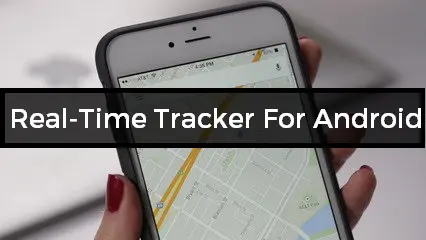
Did you just lose your phone?
Or do you want your family to be able to see where you are when you're out late?
In short: use Google's free Find Hub to find your own lost Android device, or share your live location with people who agree to it. No app to hunt for, no root, and nothing hidden.
I'll show you how to set up Find Hub before you need it, how to find a lost phone, and how to share your location the right way.
Also Read: How to Share Live Location on WhatsApp (Android and iPhone)
TL;DR
- Lost phone: go to google.com/android/find in any browser, or open the Find Hub app on another Android phone. Sign in and select your device.
- Before you lose it: turn on location and Find Hub, and set a screen lock. It takes two minutes.
- Ring, lock or erase: Play sound rings your phone at full volume for 5 minutes, even on silent. Factory reset is the last step, because the phone can't be found with Find Hub after that.
- Sharing: share your own location only with people who agree to it. Never track someone without their knowledge.
What Changed With Real-Time Tracker Apps
When I first wrote this, I was a senior member of XDA, and I found an app called Real-Time Tracker by a developer named MaxOptim.
It could track several phones at once, show their battery level and show their exact location on a map. In 2016, that was impressive.
But I need to be honest about one part of that old guide.
It showed you how to hide the app on someone else's phone so they'd never know they were being tracked. That's not okay.
Tracking a person without their knowledge and consent is stalking, and it's illegal in many places. Google's own Find Hub rules ban using it to track someone without their knowledge and consent.
So this guide covers two things only:
- Finding your own lost phone, tablet or tracker tag.
- Sharing location with people who agree to it.
The app is still listed on Google Play as Real-Time GPS Tracker 2, but you don't need it anymore. Google built all of this into Android.
What Is Find Hub?
Find Hub is Google's free service for finding lost Android devices. It used to be called Find My Device.
With it, you can:
- See your phone, tablet or tracker tag on a map
- Make it ring, even when it's on silent
- Lock it and show a message on the lock screen
- Erase it if you think it's gone for good
- Share your location with family and friends
The best part is that it's already on most Android phones. You just have to make sure it's switched on before you lose your phone.
Find Hub at a Glance
| Option | What it does | Works on | Best for |
|---|---|---|---|
| Find Hub website | Shows the map, rings, locks or erases a lost device | Any browser | Finding a lost phone from any device |
| Find Hub app | Finds devices and starts a location share | Android phones | Finding a lost device or sharing your location |
| Samsung Find | Rings a device or searches for it nearby | Galaxy phones with One UI 6.1 and later, plus Galaxy watches, Buds and SmartTags | Galaxy owners |
| Unknown tracker alerts | Warns you when a tracker seems to move with you | Android phones | Checking for a tracker following you |
How to Set Up Find Hub Before You Lose Your Phone
Do this today. It takes two minutes.
- Make sure you're signed in to your Google account in "Settings" → "Passwords, passkeys and accounts".
- Go to "Settings" → "Location" and turn on "Use location".
- Go to "Settings" → "Security" → "Find Hub" and turn on "Allow device to be located".
- Set a PIN, pattern or password for your screen lock, if you don't have one.
- Choose how your phone can be found when it's offline: "Settings" → "Security" → "Find Hub" → "Find your offline devices".
On some phones, step 5 is under "Settings" → "Google" → "All services" → "Find Hub" instead.
You'll see these options:
- Off
- Without network
- With network in busy places only
- With network everywhere
"With network" means other Android phones nearby can help find your phone, even when it has no internet. Google says the locations are sent securely when you have a screen lock set.
One more thing: to lock or erase your phone remotely, Google asks you to have 2-Step Verification backup codes or a security key ready. Save your backup codes somewhere safe that isn't your phone.
Can Find Hub Find a Phone That's Switched Off?
Yes, on some phones. Google says the Pixel 8, Pixel 9 and Pixel 10 series can still be found through the Find Hub network for several hours after the battery dies or the phone is turned off.
How to Find Your Lost Android Phone
- Go to google.com/android/find in any browser, or open the Find Hub app on another Android phone.
- Sign in with your Google account. On a friend's phone, use guest mode.
- Select your lost device from the list.
- Check the map. If the phone can't be reached right now, you'll see its last known location.
Now you can:
- Get directions to where your phone is.
- Find nearby when you're within about 10 meters.
- Play sound: your phone rings at full volume for 5 minutes, even if it's on silent or vibrate.
- Mark as lost: locks your phone with your PIN, pattern or password, and shows your message and contact details on the lock screen.
- Factory reset: erases everything on the phone, under the device's "Settings" in Find Hub. Use it only as a last step, because the phone can't be found with Find Hub after that.
Google's Find Hub page also offers Remote Lock, which locks your phone's screen with just your phone number.
Also Read: How to Use Google Maps Offline on Android
If You Have a Samsung Galaxy Phone
Find Hub works on Galaxy phones too.
Samsung also has its own Samsung Find app, which comes preinstalled on phones with One UI 6.1 and later.
Open it, tap the "Devices" tab, and choose your lost device to make it ring or search nearby. It also works for Galaxy watches, Buds and SmartTags.
Also Read: How to Catch Someone Who Tries to Unlock Your Phone
How to Share Your Live Location With Family the Right Way
This replaces the old "track your friend's phone" trick.
With Find Hub, you choose to share your own location, and the other person can see it.
- Open the Find Hub app and tap "Start share".
- Choose how long: one hour, until the end of the day, until you stop, or a custom time.
- Pick the people you want to share with and tap "Create share".
They'll get a notification, or an email if they don't use Find Hub or Google Maps.
Want to see where your family is? Ask them to share with you, or send them a request.
They get a notification and an email, and it's up to them to say yes.
To stop sharing, tap the person's name → "Stop sharing" → "Confirm".
Be careful with "Get link to share". Google says anyone with the link can see your location, so only send it to people you trust.
How to Check If Someone Is Tracking You
This works the other way too. Android can warn you when someone else's tracker tag, like an AirTag or a Find Hub tag, seems to be moving with you.
To check right now, go to "Settings" → "Safety & emergency" → "Unknown tracker alerts" → "Scan now".
If you find a tracker you don't know and you feel unsafe, Google's advice is to go to a public place and contact the police or someone you trust.
Which Option Should You Use?
| Your situation | Use this |
|---|---|
| Your phone is lost | Find Hub at google.com/android/find, or the Find Hub app on another Android phone |
| You have a Galaxy phone | Samsung Find, alongside Find Hub |
| Family wants to see where you are | Share your location in Find Hub, with their consent |
| You think a tracker is following you | Run "Scan now" under "Unknown tracker alerts" |
Final Thoughts
In 2016, tracking a phone needed a third-party app and a code on each phone. Today, Find Hub does it better, it's free, and it's already on your phone.
Turn it on today, before you need it. Set up location, Find Hub and a screen lock now, and save your backup codes somewhere safe.
Only track devices that are yours, or people who've agreed to it. Google's Find Hub rules rule out tracking anyone without their knowledge and consent.
FAQs
How do I find my lost Android phone?
Go to google.com/android/find in any browser, or open the Find Hub app on another Android phone. Sign in with your Google account and select your device to see it on a map.
Do I need to set up Find Hub before I lose my phone?
Yes. Turn on "Use location" under "Settings" → "Location", turn on "Allow device to be located" under "Settings" → "Security" → "Find Hub", and set a screen lock, so the phone can be found when you need it.
Can I track someone else's phone without them knowing?
No. Google's Find Hub rules ban using it to track someone without their knowledge and consent, so share your location only with people who agree to it.
Can Find Hub find a phone that's switched off?
Yes, on some phones. Google says the Pixel 8, Pixel 9 and Pixel 10 series can still be found through the Find Hub network for several hours after the battery dies or the phone is turned off.
Still stuck? Tell me through the contact page.

Topics
Comments (4)
Comments are closed. Have a question about this article? Ask through the contact page.


It need Data connection to use or monitor any device ? will it work if both androif devices doesn't acceced to the data connection ?
Data connection is needed
Data connection required in both devices ? Or just required for the device from which we're monitoring ??
yes