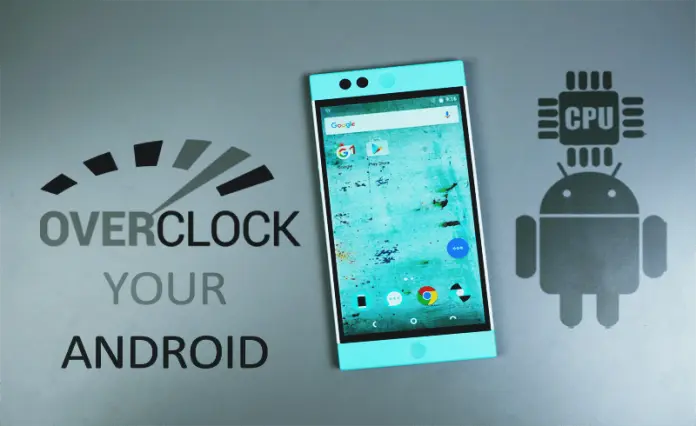
Many users might have heard about overclocking an Android device. If you haven't, don't worry.
In this guide, I will tell you what it means and how to overclock your device.
Many times, you have good RAM, like 3GB, but your phone still lags sometimes. This is because of your processor.
Also Read: How To Increase RAM of Your Android Device Using SD /Memory Card
When we buy a smartphone, we always look at how much RAM the device has and the operating system version.
We never look beyond this. But besides RAM and the Android version, there are also the processor and its cores. You need to take care of them when buying a device.
Suppose you have an Android device with 6 GB RAM and a dual-core 1 GHz processor. It will be of no use, because your phone can't make use of all that RAM.

What Is Overclocking?
Overclocking is when you increase your phone's performance by increasing your processor speed.
If you have a 2 GHz processor, you can increase its speed to 2.3 GHz.
There are many third-party apps that will help you do this. If you do it properly without bricking your device, you can even lower your processor speed.
Also Read: What To Do After Rooting Android 15 Killer Tricks
You might have seen devices turning into heaters. This happens when the device doesn't meet the proper requirements for its hardware. After this, many devices blow up.
Is Overclocking Safe?
No! It is not safe. Why? Sometimes your phone will get hot, and then you have to go back to your old processor speed.
If your device gets hot even in normal use, you can easily lower the speed of your processor. It will help lower your phone's temperature.
Also Read: L Speed: Powerful Tool to Boost Your Android Performance and Battery
Also Read: 13 Cool Things You Didn't Know Your Android Could Do
If you get greedy while overclocking and increase the speed from 2 GHz to 2.8 GHz or 3 GHz, you will lose your device.
I suggest you increase the speed to 2.2 GHz or 2.4 GHz. But 2.2 GHz is best, depending on your processor.
Overclock Your Android Device to Boost Performance
There is a third-party app that is paid. You have to pay about $1.50 for it, and then you will be able to overclock your Android device.
If you don't want to buy this app, you can do it with other apps. But this is the paid one, and I personally recommend you buy it.
This app has really good support, and you need a rooted device to overclock. Then you can follow the steps below.
I have a Nexus 5 with a 2.3 GHz processor, and I will be testing this app on my device. Let's get started with the tutorial.
Also Read: Bitcoin Mobile Miner: Mine Bitcoin on Your Android Phone [NOT WORKING]
Requirements:
- Rooted Android Device: Root Your Android Mobile Easily Without PC
- SET CPU app: Play Store
How To Overclock Your Android Device to Boost Performance
- First, root your Android device and install the Set CPU app on it.
- Now, open the Set CPU app and tap Continue and Recommend.

- The app will ask for root permission. Just allow it, and you are done.
- Now, the app will automatically check the speed of your device. Then you have to change the max and min speed of your device as you like.

Note: Don't tap Set to Boot until you like your device speed, or you will brick your smartphone.
- Now, you need to create profiles and set when you want to overclock or underclock your Android device. This is a very important step.

- In these profiles, I am choosing Battery charging. I overclock my device whenever I am charging it, so it will automatically overclock whenever I put my phone on charge. Then choose the priority you like.

Video Tutorial
Wrapping up
That was the article about how to overclock your Android device to boost performance. I hope you like this tutorial.
Share this article with your friends and overclock your device.

Topics
Comments (6)
Comments are closed. Have a question about this article? Ask through the contact page.


Thanks for Y0ur advice :-
Note: Don’t click on Set to Boot till the time you don’t like your device speed or elseyou will brick you smart phone.
I need help....
What will max speed and min speed for playing games
depends on your phone performance
Recently I rooted my device(Samsung galaxy grand i9082).can you please suggest which android version(presently working on 4.2.2 jely bean) I have to change? so that it best suits my mobile performance.
It depends on your phone current processor and you need to check every settings for the application.
Bhaiya Can You Please Help Me To Root Micromax Canvas Spark 2 Plus (Marshmallow)?