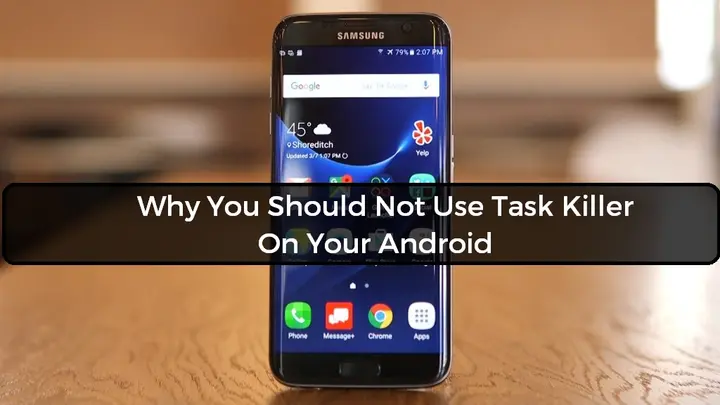
Is a task killer going to make your Android phone faster?
You've probably heard it everywhere: "Don't use a task killer on Android." But why?
The quick answer: no. A task killer closes apps that Android was keeping ready for you, so they take longer to open again.
Back in 2016, these apps had millions of downloads and great ratings, so surely they did something, right? In this guide, I'll explain why they make your phone slower with a short story, then show you what to do instead.
Also Read: Worst Apps for Android: 6 Types of Apps You Should Avoid
TL;DR
- Task killers don't speed up Android. They close cached apps, and those apps need a full restart next time you open them.
- Since Android 14, an app can only kill its own background processes, not the ones of other apps.
- Watch the Accessibility permission. Don't give it to a cleaner or booster app.
- When your phone feels slow, restart it, install updates, free up storage or force stop the app that's misbehaving. None of this needs an extra app.

What Is a Task Killer?
You've seen the ads.
You're on some website, and a banner pops up: "Is your mobile phone running slow? Clean it today!"
You think, Yes, my phone is slow. So you install the app and tap the big "Clean" or "Boost" button.
It closes all the apps running in the background, and for a moment your phone feels faster.
Today, these apps call themselves task killers, RAM boosters, phone cleaners or "memory optimizers". They all do the same thing.
A Funny Tech Story: The Shopkeeper and the Child
I first heard this story from the YouTube channel Technical Guruji. It still holds today.
A shopkeeper sells goods all day. Every time a customer comes, he walks to the back of the shop, picks up the item and brings it out.
After a while, he notices that some items sell all the time. So he keeps those right next to him at the counter, and he can serve customers much faster.
Then one day, a child walks in with an offer: "I'll clean the shop for free." You don't have to pay me.
The shopkeeper thinks, A free worker? Sure!
But every time the shopkeeper puts his best-selling goods near the counter, the child "cleans up" and carries them back to the far shelves. The shopkeeper has to walk to the back again and again, and every sale takes longer.
Who Is Who in the Story
- The child is your task killer or cleaner app.
- The shopkeeper is Android itself. In 2016 I called him the processor. To be exact, it's Android's memory manager.
- The counter is your RAM.
- The goods are the apps you use.
That "free worker" is costing you speed.
What Android Actually Does With Your RAM
Google's own developer docs explain it.
When you leave an app, Android doesn't close it. It keeps the app cached in memory.
When you come back, Android reuses it, so switching apps is faster.
When Android needs more memory, it closes cached apps by itself.
So free RAM isn't a goal. Empty RAM is just wasted RAM.
Google also says what happens when an app kills other apps. It "can reduce system performance and increase battery consumption", because those apps need a full restart later, which "takes significantly more resources than resuming an existing cached app".
So a task killer makes your apps open slower and can use more battery. That's the opposite of what it promises.
What Changed in Android 14?
Here's the part that didn't exist when I first wrote this.
Since Android 14, when an app asks Android to kill background processes, it can only kill its own. If it names another app, nothing happens to that app.
Google's docs even add a note for developers: "It isn't possible for a 3rd-party application to improve the memory, power, or thermal behavior of an Android device."
Google itself is saying these apps can't do what they claim.
Watch Out for the Accessibility Permission
Some cleaner apps ask for Accessibility access.
That permission lets an app see your screen and tap things for you, which is powerful. Bad apps have abused it to steal logins and banking details.
My advice: don't give it to a cleaner or booster app.
Is It OK to Clear My Recent Apps?
When I first wrote this, I said clearing recent apps was fine.
It is fine when an app is stuck, or when you just want a tidy list.
But don't swipe everything away all day to "save RAM". As you just read, Android keeps those apps around so they open faster next time.
What to Do Instead When Your Phone Feels Slow
Google's own advice for a slow phone is simple, and none of it needs an extra app.
| Fix | Try it when | Extra app needed? |
|---|---|---|
| Restart your phone | The phone is frozen or sluggish | No |
| Install updates | The system or apps are out of date | No |
| Free up storage | Less than 10% of storage is free | No |
| Force stop an app | One app is misbehaving | No |
| Safe mode | A downloaded app may be the cause | No |
| Factory reset | Nothing else helped (back up first) | No |
- Restart your phone. If it's frozen, Google says to press the power button for about 30 seconds on most phones, or until it restarts.
- Install updates. Open "Settings" → "System" → "Software update". For apps, open the Play Store, tap your profile icon, then "Manage apps & device".
- Free up storage. Google says your phone can start having issues when less than 10% of its storage is free.
- Force stop the app that's misbehaving. You can usually do this from "Settings" → "Apps", then tap the app. Menu names vary by phone.
- Find a bad app with safe mode. Safe mode turns off downloaded apps for a while. If the problem goes away, remove recently installed apps one by one. The way to start safe mode depends on your phone's maker.
- Factory reset as a last resort. This removes everything from your phone, so back up first.
Also Read: How to Fix the “Insufficient Space” Download Error on Android
Also Read: How to Stop Android Apps Running in the Background (3 Ways, No Root)
Final Thoughts
Task killers got so many downloads because they feel like they work. Your phone looks faster for a moment after you tap "Clean".
But Android already manages memory better than any of these apps can. Since Android 14, it doesn't even let them close other apps the old way.
My recommendation is simple. If you've installed a task killer, remove it today.
If a friend still has a RAM booster on their phone, send them this post. Android's memory handling may keep changing, so check Google's own developer docs if you're ever unsure.
FAQs
Does using a task killer on Android make it faster?
No. A task killer closes apps that Android keeps cached, so they take longer to reopen, and they can use more battery.
Can a task killer close other apps on Android 14?
No. Since Android 14, an app can only kill its own background processes.
If it names another app, nothing happens to that app.
Is it OK to clear my recent apps?
Yes, when an app is stuck or you just want a tidy list. Don't swipe everything away all day to "save RAM", because Android keeps those apps around so they open faster next time.
What should I do if my Android phone feels slow?
Restart it, install updates, free up storage and force stop the app that's misbehaving. None of these steps needs an extra app.
Should I give a cleaner app Accessibility permission?
No. Accessibility lets an app see your screen and tap for you, and bad apps have used it to steal logins and banking details.
Still stuck? Tell me through the contact page.

Topics
Comments (5)
Comments are closed. Have a question about this article? Ask through the contact page.





Nice story broo
very well explined about caching
Excellent
Thank You...
bro can you share scuritykiss vpn trick for airtel
Thanks..................