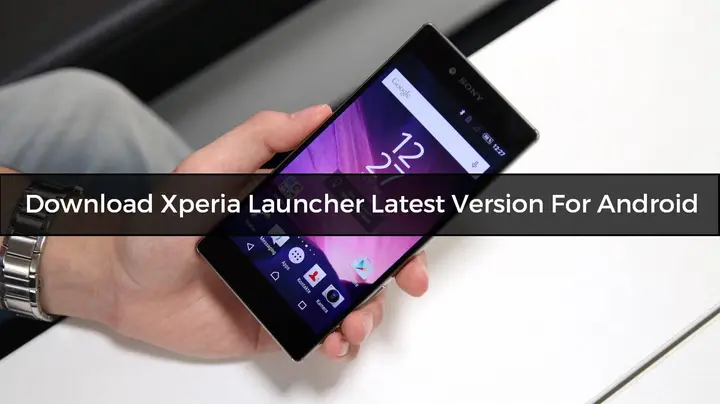
Download Xperia Launcher: Xperia Launcher is used on Sony Xperia devices. There are many launchers available on the Play Store, but the Xperia launcher is not one of them.
That is why I am writing this article about how to download Xperia Launcher 2.0.6, the latest version, for Android.
This launcher is available on the XDA forums and is regularly updated. Many people love this application because of its amazing user interface.
Also Read: Real-Time Tracker: Multi-Device Locator For Android
I have seen many people using this launcher on their phones. They love it for its simplicity and its black theme, which is just great.
The user interface of this application is great compared to other launchers such as TouchWiz and the Google AOSP UI. Most of the time, if you are using any Xperia phone, you will love the user interface of Xperia phones :)

Download Xperia Launcher Latest Version for Android 2019
This launcher has many settings compared to the other launchers available for Sony Xperia devices.
It helps you open the settings in just one click, which is amazing. There are also settings where you can set up the dock of the application.
If you download this launcher, there are some limitations you might not love. I will mention them below.
You don't need a rooted Android device to download and install the application. You just need a phone with some free space, and then you can download it on your device.
Also Read: How to Set Low Battery Notification Ringtone On Android
Also Read: Download Windows 8 Launcher APK on Android
Features:
The application has many amazing features. This launcher is unique, and that makes it one of the best launchers. Let's check out the features.
- Same as the original Sony Xperia launcher
- Works on almost every Android device
- Gesture support.
- Infinite scrolling of the page.
- Hide applications in a few clicks.
- Install icon packs.
- No need for a rooted Android device
- Much more.
Cons
- It doesn't work properly on devices that have a navigation bar.
How to Download Xperia Launcher Latest Version for Android 2019
- First, download the Xperia launcher on your device from here: Download
Also Read: This Linux-Style Launcher Turns Your Home Screen into a Command Prompt
Version Info
| Software Name | Xperia Launcher |
| Last Updated | July 29, 2018 |
| Android Version Requires | 5.0+ |
| Total Downloads | 500,000+ |
| App Size | 2.8 MB |
| Developer | Ben Ling |
| Main Task | Change user interface of Android |
- Open the application. You may get an Unknown Source warning. Click on Settings and turn on the Unknown Source option.

- Now, install the application on your device and open it.

- Now, press the home key twice and set the Xperia launcher as the default with Always.

- You are done. Now you can enjoy the Xperia features on your Android device.

Also Read: Download Pure Windows 7 Launcher For Your Android (Latest Version)
Final Verdict:
I hope you love this application. That was the article about how to download the latest version of Xperia Launcher on Android.
Also Read: How to Theme Any of Your Stock Android Device
Share this article with your friends if they are interested in this launcher.
If you get stuck, tell me through the contact page.

Topics
Comments (1)
Comments are closed. Have a question about this article? Ask through the contact page.



i can't download n install your sony xperia latest version