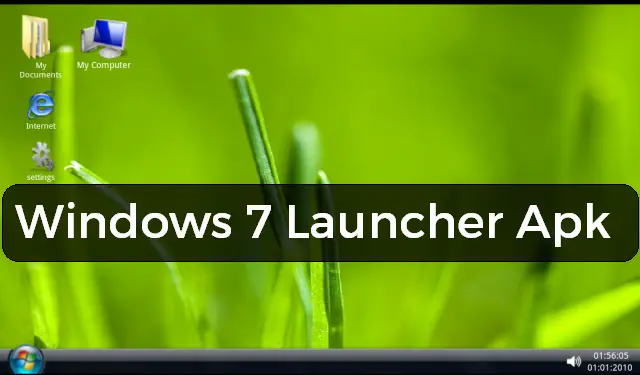
Windows 7 is one of the most used operating systems in Windows history, and one of the most stable.
What if you could download the Pure Windows 7 Launcher for your Android device? This is something you will love to install.
Believe me, you might have installed other launchers, but this is something you will definitely love.
Also check out: Enable Hibernate Option In Your Windows 8 or 8.1
I have seen many features, like the recycle bin and others, added in this launcher.
The funniest part of this launcher is that it has a built-in Internet Explorer browser, which you are going to love. You don't need to install it on your device. When you install the launcher, the browser is built in.
There is a separate column for Wi-Fi, and it shows exactly the same way Windows 7 does.
So keep calm, because you are going to get exactly the same things, the same configuration, and the look and feel of Windows 7 on your Android device.
If your device has an SD card and internal storage, you will see two hard drives in Computer. There you can check the space of your internal storage and your SD card. Isn't it quite amazing?
Also Read: Download Windows 8 Launcher APK on Android
Have a look at the screenshots below:
Screenshots:-


This software runs great in landscape mode
Also Read: How To Download and Install Counter Strike On Android
Download Pure Windows 7 Launcher For Your Android
- Download the Windows 7 launcher from here - Download
- Install the application and wait for some time for it to load
- Now select the launcher as the default and choose to keep it always
- If it asks for an update, don't update the software
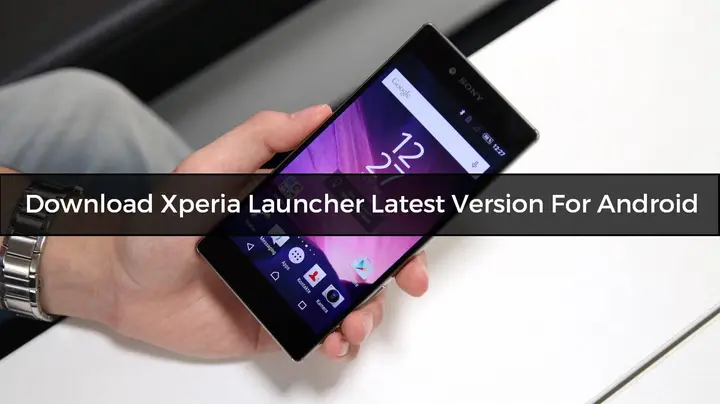
Also Read: Download Xperia Launcher Latest Version for Android 2019
Wrapping up
If you face any difficulty while using or installing this application, tell me through the contact page.
If you love this article, don't forget to share it with your friends.

Topics
Comments (15)
Comments are closed. Have a question about this article? Ask through the contact page.


It works but it has trial reminder which shows the remaining coins available. How to get rid of the trial reminder?
I will be updating the post soon
Eagerly waiting for your support on this issue. Thanks
The Application is been updated :)
I have version MW20150925
Try clearing the application data
to bypass trail reminder, you have to clear the cache and launcher data.
Thanks but the problem is not totally solved. The trial reminder resets to its original value to 200 after clearing the cache and launcher data.
I have version MW20150925.
I have updated mine to 20161014 via check version but 100 bricking and the default was xp style.
I HAVE LASTET VERTION
I did a trick to this. I made a backup file for the current settings with having the highest coin value. Whenever this value comes near to 0(zero) I would clear all the cache and datas for which it would again reset to the original value of 200 trials. I tried this and it works well........ I think this is the only way to access the windows 7 on android for free.
thanks your good post
I agree with him ..this matter is so important .. spatially this matter .Download Pure Windows 7 Launcher For Your Android device.
I really love this web page here i get lots of info that make me smarter,,