 TechVerge
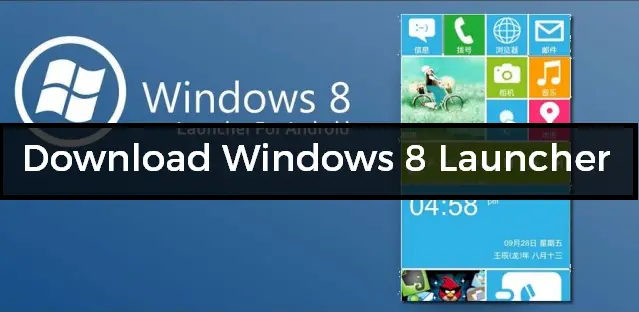
Download Windows 8 Launcher on Android
Windows has been one of the most famous operating systems for computers, and many people love to use it on mobile devices too.
We recently published about the Windows 7 launcher for Android. Today, we will talk about how you can download the Windows 8 Launcher.
These days, many launchers on the Play Store come with amazing features. This is another app with amazing features that helps you enjoy Windows features on Android.
Launchers change the look and feel of your Android device. If you're fed up with the stock Android launcher, or you want to change the look and feel of your device, you can use this Windows 8 launcher.
Also Read: Top 10 Best Notepad Tricks, Hacks and Commands
You can enjoy the features of Windows phones on Android. Just download this launcher, and you can use Windows 8 features on your Android.
Download Windows 8 Launcher on Android
You can download the Windows 8 launcher from the Play Store. The app is free, and you don't need to pay for it.
This launcher has tons of features, the same ones that are available on Windows phones. Nowadays, Windows phones are getting the newer Windows 10 update.
We will update this article if we get a newer update of the app. You can also change the lock screen of your phone to look like Windows.
You can also change the tile size of a specific app, along with its colours. There is a new status bar too. If you remember the Nokia XL or XXL, it looks like those phones.
Also Read: Build Prop Tweaks For Android Jelly Bean, KitKat & Lollipop Devices
The app has some issues and bugs. For example, you can't turn on the flashlight from the new notification bar, which is one of the worst things. But the developer will hopefully solve it soon.
Also Read: Download Xperia Launcher Latest Version for Android 2019

Features of Windows 8 Launcher
This launcher has many good features that make it really unique. I have used this app and found it very interesting and amazing. Let's look at its features.
- Change the size of the tile and set any size you want.
- Set a password on any app you want, without needing any other app.
- No root required.
- Change the theme of the app to any colour you need.
- A lot of customisation is possible in the launcher.
- Inbuilt wallpapers that help you make your phone look like Windows.
- Much more…
How to Download Windows 8 Launcher on Android
Installing this launcher on your device is easy. Configuring it is a bit difficult, and I will tell you how below. The app is small in size and has amazing features.
- Download and install the Windows 8 launcher from here: Play Store
- Open the app, and you will see a button. Click on Try it now.

- Now, click on Set Done! If you're using Android 7.0 or 6.0, you will be asked to allow a permission. Simply allow it, and you're almost done.

- There you will see a button to set the app as the default. Set it, and you're done.

- Now, you can enjoy Windows mobile features on your device.
Wrapping up
I hope you love this article about how to download the Windows 8 launcher on Android.
Share this article with your friends.
If you get stuck, tell me through the contact page.