TechVerge
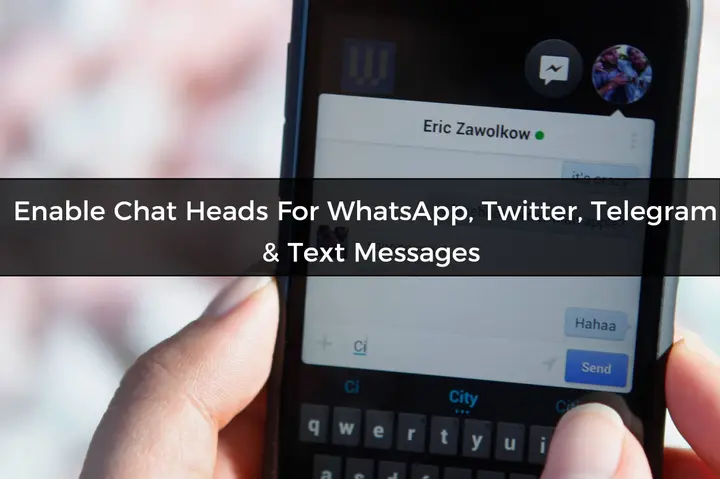
Do you love Facebook Messenger's chat heads?
You get a message, a little bubble pops up, and you reply without leaving what you're doing. Wouldn't it be great to have that for WhatsApp, Telegram, X (Twitter) and your text messages too?
Short answer: on most Android phones, use the built-in bubbles, and on a Samsung Galaxy, Smart pop-up view works with WhatsApp too.
You don't need a third-party app for either.
When I wrote this in 2017, I showed you a small app called Flychat by Flyperinc, which I found on XDA Labs.
It gave you chat heads for all these apps, and you could reply right from the bubble. Flychat isn't on the Play Store anymore.
Android now has its own chat bubbles built in, so I've rewritten this guide. Here I'll cover the built-in options, whether WhatsApp has its own bubbles yet, and why you should be careful with chat head apps from the Play Store.
Also Read: How to Quick Reply to WhatsApp and Text Messages
TL;DR
- Android 11 and newer: turn on bubbles in "Settings" and bubble a chat from its notification. This works with apps that support bubbles, like Google Messages.
- Samsung Galaxy: use Smart pop-up view to turn WhatsApp and other notifications into floating icons.
- Any modern Android phone: reply from the notification without leaving the app you're using.
- WhatsApp: no official chat heads yet. WhatsApp hasn't announced a release date for its own bubbles.
- Be careful with: chat head apps from the Play Store. They usually need notification access, which can read every notification on your phone.
What Is a Chat Head?
You might be wondering what exactly a chat head is.
If you've used Facebook Messenger, you've seen one. When a message arrives, a round bubble with your friend's photo floats on your screen.
Tap it to open a small chat window and reply, or drag it away and reply later.
What you do next is up to you. Android calls these bubbles, and Messenger still calls them chat heads.
Chat Head Options at a Glance
Here's how the options compare.
| Method | Works on | Floating bubble? | Extra app needed? |
|---|---|---|---|
| Android bubbles | Android 11 and newer, with apps that support bubbles | Yes | No |
| Samsung Smart pop-up view | Samsung Galaxy, with apps that support Multi window (WhatsApp does) | Yes, a floating icon that opens a pop-up window | No |
| Reply from the notification | Every modern Android phone | No | No |
| Play Store chat head apps | Android | Yes | Yes, with Display over other apps and Notification access |
Does WhatsApp Have Chat Heads Yet?
Not officially yet.
In April 2026, WABetaInfo reported that WhatsApp is building support for Android's bubbles. Your friend's profile photo would float on your screen with a small WhatsApp icon, and tapping it would open a mini chat.
WhatsApp hasn't announced when it will reach everyone. So until it does, here are the best ways to get close.
How to Turn On Android Chat Bubbles
Bubbles became a proper Android feature with Android 11. They work with messaging apps that support them, like Google Messages for your text messages.
Requirements
- An Android phone with Android 11 or newer.
- A messaging app that supports bubbles.
Steps on Pixel and Most Android Phones
- Open "Settings".
- Tap "Notifications" → "Bubbles".
- Turn on "Allow apps to show bubbles".
Now, when a chat message arrives:
- Swipe down to see your notifications.
- Under "Conversations", touch and hold the chat notification.
- Tap "Bubble conversation".
From now on, that chat shows up as a floating bubble.
To choose which chats can bubble in an app, go to "Settings" → "Apps" → "See all apps", pick the app, then "Notifications" → "Bubbles". You'll see "All conversations can bubble", "Selected conversations can bubble" and "Nothing can bubble".
If you don't see a bubble option for an app, that app doesn't support bubbles yet.
How to Use Samsung's Smart Pop-Up View for WhatsApp
If you have a Samsung Galaxy, you're in luck. Samsung has a feature called Smart pop-up view that turns notifications into small floating icons, which open as pop-up windows.
It works with apps that support Multi window, and WhatsApp does.
- Open "Settings" → "Notifications".
- Tap "Advanced settings" → "Floating notifications".
- Choose "Smart pop-up view".
- Tap "Included apps" and turn on WhatsApp, Telegram or any other app you want.
Now, when a WhatsApp message arrives, tap the floating icon and reply in a pop-up window.
On the same screen you'll also see "Bubbles", which is Samsung's version of Android's bubbles from the section above.
How to Reply From a Notification
This one isn't a floating bubble, but it's built into every modern Android phone.
When a WhatsApp, Telegram or SMS notification arrives, swipe down and tap "Reply". Type your message and send it.
You never leave the app you're using. If you want to send messages that disappear, see How to Create a Self-Destructing Message (6 Easy Ways).
What About Chat Head Apps From the Play Store?
You'll still find apps that promise chat heads for every messenger. To work, they usually need two powerful permissions:
- Display over other apps, so they can draw bubbles on your screen.
- Notification access, so they can read your notifications.
Worth knowing: notification access means the app can read every notification on your phone. That includes your private chats, bank alerts and login codes.
Being on the Play Store doesn't make an app safe. Your number is private too, so protect your number from SMS and call bombing.
If you still want to try one:
- Check who made it, and read the recent reviews.
- Look at when it was last updated. Abandoned apps are a risk.
- Read the "Data safety" section on its Play Store page.
- If it starts showing lots of ads or asks for more permissions, uninstall it.
Also Read: How to Enable Picture-in-Picture Mode on Android
Also Read: How to Fix the Screen Overlay Detected Error on Android
Which Method Should You Use?
My pick: use Android's bubbles or Samsung's Smart pop-up view, and wait for WhatsApp's own bubbles. If neither is on your phone, reply from the notification.
Final Thoughts
In 2017, you needed a third-party app to get chat heads for WhatsApp, Twitter, Telegram and your text messages. Today, bubbles are built into Android, Samsung phones can pop up any chat, and none of it needs a rooted phone.
The open question is WhatsApp. It's reportedly building its own bubbles, but it hasn't announced when they'll reach everyone.
My advice: stick to the built-in options, and be careful with any chat head app that needs notification access.
FAQs
How do I get chat heads on Android?
Turn on bubbles in "Settings" → "Notifications" → "Bubbles", then touch and hold a chat notification and tap "Bubble conversation". On a Samsung Galaxy, you can also use Smart pop-up view.
Does WhatsApp have chat heads?
Not officially yet. In April 2026, WABetaInfo reported that WhatsApp is building support for Android's bubbles, but WhatsApp hasn't announced a release date.
Can I get chat heads without installing an app?
Yes. Android bubbles are built into the phone, Samsung Galaxy phones also have Smart pop-up view, and you can reply from a WhatsApp, Telegram or SMS notification without a floating bubble.
Are chat head apps from the Play Store safe?
Be careful. They usually need Display over other apps and Notification access, which lets them read every notification on your phone.
Check the developer, the reviews, the last update and the "Data safety" section before installing one.
Still stuck? Tell me through the contact page.