Bitcoin is a cryptocurrency, and its value is increasing every day. If you don't know about Bitcoin, read what is Bitcoin.
If you want to get Bitcoin, you need to start mining it, or you can simply buy it from someone.
You might have heard everywhere that you need supercomputers to mine Bitcoin. Today, I will tell you about an app that helps you mine Bitcoin on Android.
Also Read: 30 Genuinely Impressive MS Paint Drawings
Mining Bitcoin is never easy. You need a powerful computer with a great GPU and great cooling to keep your CPU cool.
That takes time, and you need to invest good money in a powerful system.

Today, on XDA, I saw an app that helps users mine Bitcoin on Android. This is the first app that lets you do this. There was no app before it that could help users mine Bitcoin on Android.
Bitcoin Mobile Miner: Mine Bitcoin on Your Android Phone
Bitcoin Mobile Miner is the name of the app that helps users mine Bitcoin on Android. It is minimal, and there are no ads in the app.
Also Read: What is Captcha? Why Is It Used? What Is the Turing Test? Explained
Bitcoin is a hot topic, and every user is discussing it. Its value is increasing every day. It reached $6000, and at present it is $5696.
Bitcoin Mobile Miner helps you mine Bitcoin, but take care of your phone, because it might overheat. The app has a feature that shows the temperature of your phone, so you always know how hot it is.
When you open the app, you first need to sign up with your Google account. This way, you don't have to remember another email address and password.

Bitcoin Mobile Miner
This is a new app on the Google Play Store, and it is shared even on XDA. You can start mining Bitcoin on your phone. But make sure you don't mess up your CPU's life.
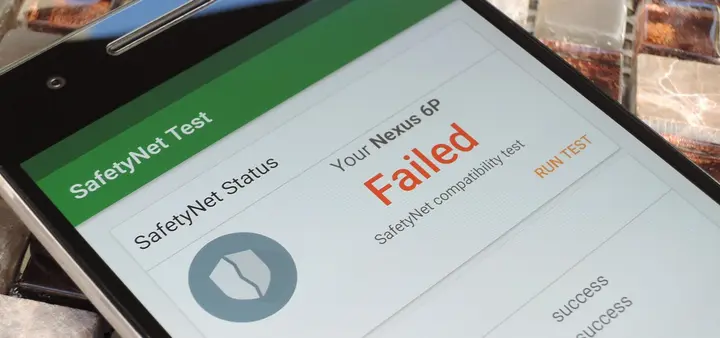
Also Read: SafetyNet Explained: Why Android Pay and Other Apps Don’t Work on Rooted Devices
If you sign up with this app, you get 500 Satoshis as a sign-up bonus. Then, after 1 minute, you get more than 100 Satoshis.
If you have an old phone that you're not using, this is a great time to start it up and mine Bitcoin on it.
How to Mine Bitcoin With Your Android Phone
- Download Bitcoin Mobile Miner on your phone from the Play Store.
- Allow the storage permission.

- You will see a tutorial on how to use the app, and you can earn 100 Satoshis.

- Now, sign up with your Google account.

- You will see that you get 500 Satoshis for free. Now, click on Awesome.

- Then click on the Start Mining button, and Bitcoin mining will start.

- If you want to withdraw Bitcoin, click on Withdraw and enter your Bitcoin address.

- Make sure you have at least 0.001 BTC, which is $5 or 350 Rs.
How to Get a Bitcoin Address
Ever wondered what a Bitcoin address looks like? A Bitcoin address is used to receive money. Many websites provide this address.
Also Read: How to Get The iPhone X Swipe-to-Go-Home Gesture on Any Android
A Bitcoin address is mostly used on websites such as Torrents, Android Apps, and much more. You can start mining Bitcoin and send it to your Bitcoin address.
A Bitcoin address looks like this: 3Qpdm4ckJ64irx1Nuyw9ZCCvc2qxoqkuBY.
Personally, I use Bitgo to save my cryptocurrency. You can use it too. It is safe, and you can mine Bitcoin and save your cryptocurrency there. Just sign up and follow the instructions.
Final Verdict:
The app looks good, and there are chances that you will get Bitcoin. If you don't get any, it's not on me.
I have seen a lot of people saying that this app is good and working fine. That was the article about how to mine Bitcoin with your Android phone.
Also Read: How to Revoke WhatsApp Sent Messages Before Everyone Else
Share this article with your friends and let them know how they can mine Bitcoin with their Android phone.
If you get stuck, tell me through the contact page.

Topics
Comments (2)
Comments are closed. Have a question about this article? Ask through the contact page.

Completely Fake. Haven't Received my payout. (24 Hours already passed)
Hi !
Due to recent investigations we have discovered a malicious behaviour inside of this app, it mines crypto hashes on phone
That being said the thread will be closed and links deleted.
I would also recommend to anyone who installed the app to remove it from their devices asap
Thanks for understanding and to those who reported