TechVerge
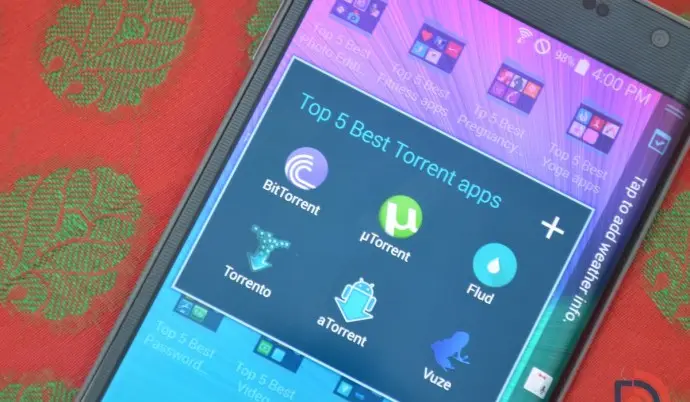
Need to download a big file on your phone?
Torrents are still one of the best ways to do it. You don't need to upload anything to Google Drive first.
You can create a torrent of a file, share it with your friends, and they download it straight from you.
The catch is that many popular torrent apps on the Play Store are full of ads.
In this guide, I'll show you the best torrent apps for Android that have no ads.
The short answer: LibreTorrent is the best for most people. It's free, open source and has no ads.
Flud+ is great if you don't mind paying, and qBitController is perfect if you'd rather download on your PC.
Also Read: How to Create Your Own Torrent Files (qBittorrent and uTorrent)
TL;DR
- Best free app: LibreTorrent. It's free, open source and has no ads.
- Best paid app: Flud+, the ad-free version of Flud from the same developer.
- For Android TV: BiglyBT.
- To keep big downloads off your phone: qBitController, which controls qBittorrent running on your PC or home server.
- Avoid: "pro unlocked" APKs, and APK or EXE files from torrents, which can contain malware.
Is Torrenting Legal on Android?
Torrenting itself is legal. BitTorrent is just a way to share files.
Downloading or sharing copyrighted movies, music, games or software without permission isn't.
Remember that torrent apps upload pieces of a file to other people while you download it.
There's plenty of legal stuff to torrent. Ubuntu, for example, offers official torrent downloads of its Linux ISOs.
Torrent Apps for Android at a Glance
| App | Best for | Price | Ads | Open source |
|---|---|---|---|---|
| LibreTorrent | The best free app with no ads | Free | No | Yes |
| Flud+ | A polished app without ads | One-time purchase | No | No |
| BiglyBT | Torrenting on Android TV | Free | No | Yes |
| Gopeed | Torrents and normal downloads in one app | Free | No | Yes |
| qBitController | Controlling qBittorrent on your PC from your phone | Free | No | Yes |
The Best Torrent Apps for Android
1. LibreTorrent
This is the one I'd install first.
LibreTorrent is free, open source and has no ads or in-app purchases. It's on both the Play Store and F-Droid, and it got its latest update in July 2026.
It's not a basic app, either.
You can pick which files to download, stream a file while it downloads and grab new torrents automatically from RSS feeds. It even has an Android TV interface.
Remember tTorrent? In 2017, I said it was the only app that let you create your own torrent files.
Not anymore. LibreTorrent does it too.
Pros:
- Completely free, with no ads.
- Open source.
- Lots of features: RSS, IP filtering, proxies and torrent creation.
Cons:
- The design is simple rather than pretty.
- It asks for access to all the files on your phone.
Price: Free.
2. Flud+
Flud was my number one pick when I first wrote this list. It's still updated.
It still has one of the cleanest designs of any torrent app. It handles magnet links and RSS feeds without any fuss.
The free version of Flud shows ads. Flud+ is the paid version from the same developer, and it has no ads.
Pros:
- Clean, simple design.
- Actively updated.
Cons:
- Not open source.
- The free version has ads.
Price: Flud is free with ads. Flud+ is a one-time purchase, and the price depends on your country.
3. BiglyBT
BiglyBT is an open-source torrent app with no ads. It's made by the developers behind the original Azureus (later Vuze) core.
It works on phones, tablets, Chromebooks and Android TV. It can also act as a remote control for BiglyBT running on your computer.
Pros:
- Free, open source and ad-free.
- Great on Android TV.
Cons:
- The Android app hasn't had an update since 2023.
Price: Free.
4. Gopeed
Gopeed is an open-source download manager that also handles torrents and magnet links.
So you get one app for normal downloads and torrents.
It says it has no ads and no tracking. It also runs on Windows, macOS, Linux and iOS.
Pros:
- Torrents, magnet links and normal downloads in one app.
- Free, open source, no ads.
Cons:
- On Android, you install it as an APK from the official site or GitHub, not the Play Store.
Price: Free.
5. qBitController
Big torrents eat your phone's battery, storage and data.
A smarter way is to let qBittorrent run on your PC or home server, and control it from your phone.
qBitController does exactly that.
It's free, open source and has no ads. You can add torrents with magnet links or files, and manage more than one qBittorrent computer.
It's on the Play Store and F-Droid, and was last updated in July 2026.
If you use Transmission, Deluge or rTorrent instead, try Transdroid. It's open source too, and you can get it from F-Droid.
Pros:
- Downloads don't touch your phone's storage or data.
- Free and open source.
Cons:
- You need qBittorrent running on another device.
Price: Free.
What Has Changed Since My Last Update
Since the 2019 version of this list, a few apps have changed. Here's what's different:
- µTorrent and BitTorrent are still on the Play Store and still updated, but both have ads and in-app purchases. That's why they're off the list.
- tTorrent Lite is still updated too, but it's ad-supported.
- aTorrent is no longer on Google Play.
- Flud stays, but I now recommend the ad-free Flud+.
Tips for Torrenting Safely on Android
- Only install torrent apps from the Play Store, F-Droid or the developer's official site. Skip "pro unlocked" APKs.
- Use Wi-Fi. Torrents can burn through your mobile data fast.
- Be careful with APK and EXE files you download from torrents. They can contain malware.
- A VPN hides your IP address from other people in the torrent. It doesn't make downloading copyrighted files legal.
Also Read: How to Create Your Own VPN: The Definitive Guide
Also Read: Seedr.cc Review: Is It Still the Easiest Way to Torrent on iPhone?
Which Torrent App Should You Choose?
- You want one free app that just works: LibreTorrent.
- You want a polished app and don't mind paying: Flud+.
- You download on your TV: BiglyBT.
- You want torrents and normal downloads in one place: Gopeed.
- You have a PC that's always on: qBittorrent with qBitController.
What Is the Best Torrent App for Android?
For most people, LibreTorrent.
It's free, open source, ad-free and still updated. It's the app I'd start with.
Final Thoughts
You don't have to put up with ads to download torrents on Android anymore.
Start with LibreTorrent. If you'd rather keep big downloads off your phone, set up qBittorrent on your PC and use qBitController.
And please, stick to files you're allowed to download.
FAQs
Which torrent app is best for Android?
LibreTorrent is the best choice for most people. It's free, open source, ad-free and still updated.
Are there torrent apps for Android without ads?
Yes. LibreTorrent, BiglyBT, Gopeed and qBitController are free and have no ads, and Flud+ is the paid, ad-free version of Flud.
Is torrenting legal on Android?
Torrenting itself is legal, but downloading or sharing copyrighted content without permission isn't.
Can I control qBittorrent from my Android phone?
Yes. qBitController lets you add torrents and manage more than one qBittorrent computer, so the downloads run on your PC or home server instead of your phone.
Still stuck? Tell me through the contact page.