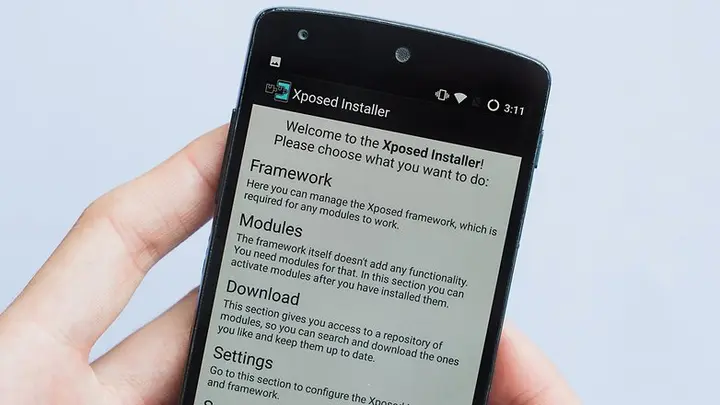
Xposed framework is the best framework you can install on your Android device to enjoy the best customization. There are a lot of features you can enjoy with the help of the Xposed Framework.
This is the reason I am going to tell you how to install the Xposed Framework in Android 5.0 or 5.1 Lollipop.
Also Read: How to Install System-less Xposed to Receive OTA Updates & Android Pay
In Android 4.0 to 4.4x, there was an Android version that supported the custom Xposed Framework, and you didn't need to do any kind of external installation. It was pretty easy. You installed the application, and you were done. You could download whichever modules you loved and be ready to customize.
Nowadays, if you are using an Android version above 5.0x, you need to flash the framework using a custom recovery. Then you can easily install the Xposed framework on your phone.
Also Read: How to Install Xposed Framework on Android Nougat 7.0+ [OFFICIAL]
What Is Xposed Installer?
The Xposed installer is a third-party application built by Rovo89. With it, we can modify the Android settings, customize the battery panels, use thousands of tweaks and edit the system file called build.prop. It makes it easy for you to add new features.
Also Read: Top 10 Best Xposed Modules For Lollipop & Marshmallow

Install Xposed Framework In Android 5.0 or 5.1 Lollipop
We have published many articles in which we showed how to flash files using a custom recovery. We have also shown the applications you can install on your phone. Hundreds of modules are available in the Xposed framework that you can install on your device.
Reverting to the old settings is also easy. You can simply deactivate the modules, and it will help you a lot. It is really easy to change the settings of the application.
The Xposed framework has different types of modules, such as gravity box, which can edit your Android notification bar, and an IMEI changer.
Also Read: How to Get the iPhone 3D Touch Feature on Any Android Device
Requirements:
- Xposed Installer APK
- Custom Recovery Installed CWM Or TWRP
- Xposed installer .zip file (Download links are given below)
- Full NAndroid Backup
How To Install Xposed Framework In Android 5.0 or 5.1 Lollipop
Step 1: First, download and install the Hardware Info application from the Play Store
- Open the Hardware Info application and you will see the information about your phone.
- Now, simply click on the Processor Tab and you will see the processor installed on your phone.
- This will show ARMv7, ARM64, or x86 , which will help you choose the correct zip file to install on your phone.


Step 2: Once you have seen the above information about your phone, you can choose the zip file for your phone, put it on your SD card and install it. This is the file you need to flash with the help of a custom recovery.
Check your Android version properly by going to your phone Settings > About Phone > Android Version
Android 5.0
- Xposed Framework for ARMv7 Lollipop devices
- Xposed Framework for ARM64 Lollipop devices
- Xposed Framework for x86 Lollipop devices
Android 5.1 & 5.1.1
- Xposed Framework for ARMv7 Lollipop devices
- Xposed Framework for ARM64 Lollipop devices
- Xposed Framework for x86 Lollipop devices

Make sure you save these files in the proper folder on your SD card, and then flash them.

Step 3: Now, it's time to boot your phone into recovery mode. Booting into recovery mode is different on different Android phones, and you can boot your phone into recovery using this simple method.
Shut down your phone and then press Volume Up + Volume Down + Power On. This is used on most Android phones. If you have an Android phone such as a Samsung, you can boot it using Volume Up + Power Button + Home Key.
Also Read: What To Do After Rooting Android 15 Killer Tricks
- If you have a Nexus device, you will see the Bootloader screen as shown below. Just press the Volume Down key twice and you will see a Recovery option.

- Press the Power button to choose recovery mode and you are almost done.

- You have booted into your phone's recovery mode. Now follow Step 4.
Step 4: Now, you are booted into the recovery mode of your device. You need to do a simple installation of the files, and then you are almost done.
- Tap on the install button and navigate to the SD card. If you have reached this far, you are doing well.

- Now select the downloaded files for your processor and your Android version

- Make sure you have downloaded the proper version of the files and swipe right. The files will be installed on your phone. You can simply click on the Reboot option after installation.

- This process clears the cache, so it will take some time to reboot your Android phone. Then simply clear the data of the Xposed framework and open the application again. You will see that the framework has been installed successfully on your device.

- You're done! Now you can download your favorite Xposed installer modules
Video Tutorial:
Final Verdict:
This way, you can easily install the Xposed Framework in Android 5.0 or 5.1 Lollipop. I hope you love this article. If you face bootloop issues on a Samsung device, simply flash the uninstall files by looking at this tutorial.
If you get stuck, tell me through the contact page.
Share this article with your friends. I hope they will love it too.

Topics
Comments (11)
Comments are closed. Have a question about this article? Ask through the contact page.


There is no v75 there is only v78..
Bro..will u plz tell me,
How to xposed install in samsung galaxy core 2.
I am tired but not get solution.
Can you say me which android version you are using?
i have a phone brand symphony model M1...andorid 5.0 ...which zip filr do i need???
i have a phone brand symphony model M1...andorid 5.0 ...which zip filr do i need????
I destroy my recovery mode by flashing TWRP recovery mode. Plz reply me how to solve this problem.(I have lava Iris x8l)
What issues are you getting now?
I did everything you said.but when i rebooted my phone it stucks in th SAMSUNG GALAXY.... It shows a red ! Thing on the top corner.please tell me what to do
plz send me the link to download TWRP Recovery for my android phone
LAVA IRIS ATOM 2X
Android lollipop 5.1
kernel version 3.10.65
spreadtrum processer sc7731 armeabi v7a.
Can you tell me how to install xposed on lenovo k3 note , arm 64 running on android 7.1.1
I am waiting.....
The Unofficial Xposed for 7.0 and 7.1 is already out. You can try installing on your phone and do let us know.