Do you want Google's assistant on your computer?
When I first wrote this guide, there was no official app for that.
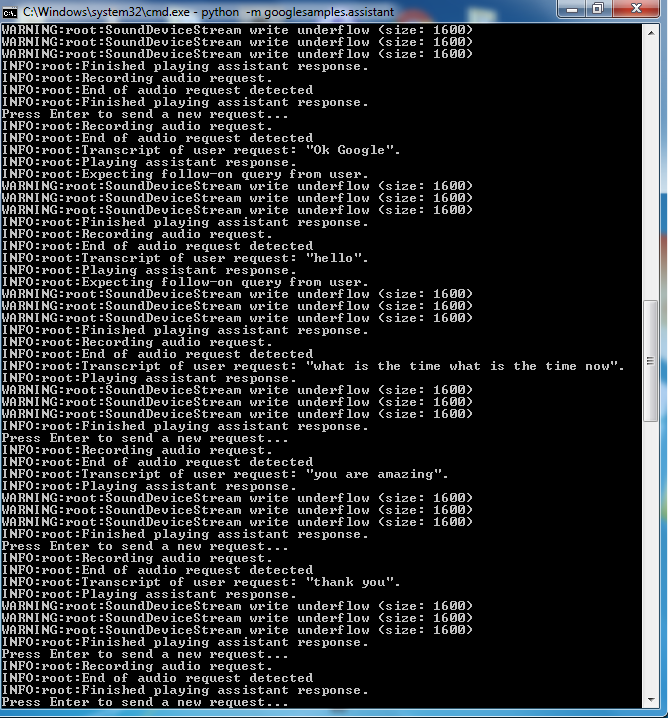
So I showed you a geeky way: install Python, set up a Google Cloud project, and run Google Assistant from Command Prompt using Google's Assistant SDK. I tried it on my Windows 7 PC, and it worked absolutely fine.
That method is outdated now, and you don't need it.
The quick answer: Google's assistant is now Gemini, and it runs on your computer officially. Use the Gemini app on Windows or a Mac, or open Gemini in your browser on any computer.
Below, I'll explain why the old method is outdated and show you the official ways to get Gemini on Windows, Mac and Linux.
Also Read: How to Install Google Assistant (Gemini) on iPhone
TL;DR
- Windows 10 or later: download the Gemini app from gemini.google/desktop and press Alt + Space to open it.
- Mac with Apple silicon: download the Gemini app from gemini.google/mac and press Option + Space to open it.
- Linux: use Gemini on the web at gemini.google.com. Google's help pages only list apps for Windows and Mac.
- Chrome on Windows, Mac or a Chromebook Plus: use Gemini in Chrome from the top of the browser.
- Skip the Python method. It's abandoned, and it ran in Command Prompt with no window and no buttons.
Why the Old Python Method Is Outdated
Here's what changed:
- The Python package is abandoned. The
google-assistant-sdkpackage last got an update in March 2020, and its listing only mentions Python 2.7, 3.4 and 3.5. - Google calls the SDK experimental. It lists it under experimental devices, for non-commercial hardware projects made by hobbyists.
- Google Assistant itself is being replaced. In March 2025, Google said it was moving people from Google Assistant to Gemini.
- It was never great on a PC. It ran in Command Prompt, with no window and no buttons, and you had to type a command every time.
So please don't spend an evening on Google Cloud credentials. There are much easier ways now.
Looking for Android on your computer instead? Read How to Run Android on Your PC Now That Remix OS Is Gone.
What Is Gemini?
Gemini is Google's AI assistant, and it's taking over from Google Assistant.
You can type or talk to it, ask it questions, get help with writing and code, and upload files or photos for it to look at.
Gemini on Windows, Mac and Linux at a Glance
| Your computer | Best way |
|---|---|
| Windows 10 or 11 | Gemini app for Windows |
| Mac with Apple silicon | Gemini app for Mac |
| Linux | Gemini on the web |
| Chrome on Windows, Mac or a Chromebook Plus | Gemini in Chrome |
Requirements
- A Google account. Work or school accounts need Gemini turned on by your admin.
- A working internet connection.
- For the desktop apps: 8 GB of RAM and about 200 MB of free space.
How to Get Gemini on Windows, Mac or Linux
Pick the option that matches your computer.
Option 1: Gemini on the Web
This is the easiest way, and it works on any computer.
- Open your browser and go to gemini.google.com.
- Sign in with your Google account.
- Type your question and press Enter.
That's all there is to it.
Google says the Gemini web app is available in over 230 countries and territories and more than 70 languages.
Google's help pages only list Gemini apps for Windows and Mac, so on Linux, the web version is the way to go.
Option 2: Gemini App for Windows
You need Windows 10 or later. It works on both regular (x64) and ARM PCs.
- Go to gemini.google/desktop on your PC.
- Click "Download" and save GeminiSetup.exe.
- Open the file and follow the instructions on screen.
- Open the Start menu and open "Gemini".
- Sign in with your Google account.
Now press Alt + Space anywhere on your PC, and Gemini pops up.
When there's an update, you'll see a notification at the bottom right. Click "Restart to update".
Option 3: Gemini App for Mac
You need a Mac with Apple silicon running macOS Sequoia (15.0) or later.
- Go to gemini.google/mac and click "Download for Mac".
- Open the downloaded .dmg file.
- Drag the Gemini icon into your Applications folder.
- Open Gemini from Applications and sign in with your Google account.
Press Option + Space to open Gemini from anywhere.
You can also hold the fn key to talk to it, then let go to send. Google says this one is still rolling out, so you may not see it yet.
Also Read: Download Google Play Music Desktop App for Windows, Linux & Mac
Option 4: Gemini in Chrome
If you use Chrome on Windows, a Mac or a Chromebook Plus, Gemini can live right in your browser.
- Make sure you're signed in to Chrome. It doesn't work in Incognito, and you need to be 13 or older.
- Click "Ask Gemini" at the top of the browser.
- The first time, follow the steps on screen to turn it on.
- Type your question, or click "Live" to talk while you browse.
The best part is that you can ask it about the pages you have open. Type @ in the box to add up to 10 open tabs.
To show or hide the button, go to Chrome's "Settings" → "AI innovations" → "Gemini in Chrome".
Google is still rolling this out, so it may not show up for everyone yet.
Also Read: How to Unlock Your PC With Your Android Fingerprint Sensor
Final Thoughts
When I first wrote this guide, running Google Assistant on a PC meant Python, a Google Cloud project and a black Command Prompt window.
Now it takes one download, or no download at all.
My pick is the Gemini app if you use Windows or a Mac, and gemini.google.com if you use Linux. Some options, like Gemini in Chrome and the fn-key shortcut on Mac, are still rolling out, so check your app for them.
FAQs
Is there an official Google Assistant app for Windows or Mac?
Google's assistant is now Gemini, and Google offers official Gemini apps for Windows 10 or later and for Macs with Apple silicon. You can also use Gemini in Chrome or on the web.
Do I need Python to get Google Assistant on my PC?
No, the Python method is outdated. Gemini works from a browser, a desktop app or Chrome.
Can I use Gemini on Linux?
Yes, through the web version at gemini.google.com. Google's help pages only list apps for Windows and Mac, so Linux users should use the browser.
Which Gemini option is the easiest on a PC?
The web version at gemini.google.com is the easiest, because it works on any computer with a browser. Windows and Mac users can also install the desktop app and open it with Alt + Space or Option + Space.
Still stuck? Tell me through the contact page.

Topics
Comments (5)
Comments are closed. Have a question about this article? Ask through the contact page.






WhatsappGB is verry good of the peoples
it says no auth helper module present when i hit the second command
Please check the video if you are facing issues like this one.
Your video did not address this issue. The command, "python -m pip install google-assistant-sdk[samples]" does not download the auth_helpers module.
Turns out the next command should be "google-oauthlib-tool --client-secrets path/to/client_secret_XXXXX.json --scope https://www.googleapis.com/auth/assistant-sdk-prototype --save --headless". (Note the difference at the beginning of the line)