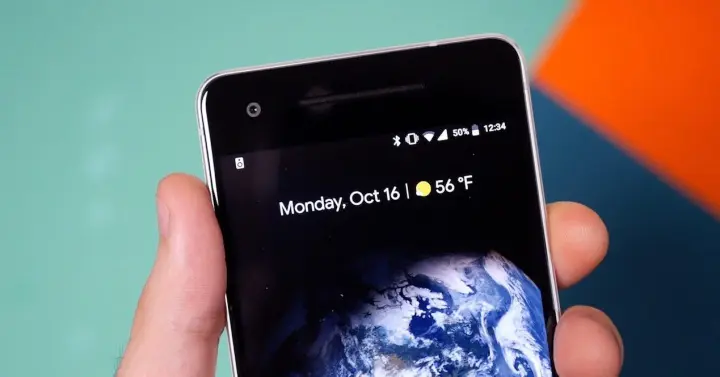
The Google Pixel is the best Android phone in every way. Google is always developing something new, and that is why we love Google Pixel devices.
The Google Pixel 2 came with new audio files. One year ago, the same thing was done with the Google Pixel.
Those ringtones are unique, and you can try them on your phone too. That's why I am going to show you how you can enjoy the Google Pixel 2 audio files.
Also Read: How to Install Google Pixel 2 Bootanimation on Any Android Device
If you have looked at the features of the Google Pixel 2, you know they have changed a lot of things. When I say unique, I mean everything.
Look at the blue accent and the new ringtones. They have changed everything. The ringtones sound professional, and this is why we love the Google Pixel 2.
XDA Senior Member Rishi was able to extract the Google Pixel 2 audio files, and you can use those files on your phone. Who would not love the Google Pixel 2 ringtones on their phone?
We always need something new to try on our phones.
Also Read: 4 Ways to Try the Pixel 2's New Motion Photos on Any Android

Get Google Pixel 2 Audio Files on Any Android Device
XDA Senior Member Rishi made a zip file that you can flash, and all those ringtones will be added to your phone. You don't need to extract the zip files on your phone and then set the ringtones yourself.
I will give you the flashable zip file that installs all those audio files on your phone. That's it! Those ringtones will be set as your default ringtones, and you don't need to worry about anything. It is sweet and simple.
But you need to make sure that you have installed the TWRP recovery on your phone.
Also Read: Get the Pixel 2 Amazing New Live Wallpapers on Your Android Device
I have tested these files on my Nexus 5 running Android Oreo, and they work fine.
Also Read: How to Enable Android Go Optimized Version on Android Oreo
If your ringtones are not changed, simply reboot your phone and clear the cache and Dalvik cache. You will see that all the tones are installed on your phone.
If your phone uses a different folder in the system, you will get an error in the zip file. If you get stuck, tell me through the contact page.
How to Get Google Pixel 2 Audio Files on Any Android Device
- Download the Google Pixel 2 audio files from here: Download

- Add the file to your internal storage.
- Then turn off your phone and boot it into recovery mode. You can press the power down + power button to boot your phone into recovery mode.
- Simply click on Install.
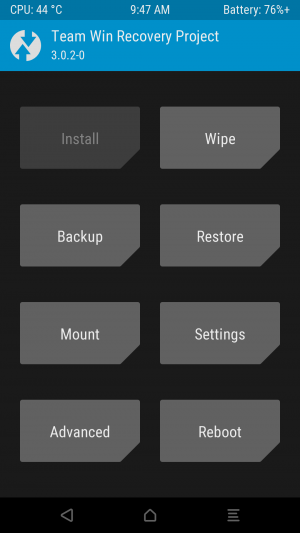
- Search for the zip file in your phone's internal storage.

- That's it! Click on it and move the slider, and the file will be installed on your phone.
- Reboot your phone and check your notification settings. You will find the new ringtones installed on your phone.

Final Verdict
That's it from my side. This is how you can quickly get the Google Pixel 2 audio files on any Android device.
If you want to make your device feel cool, try this trick and enjoy the Pixel 2 audio on your phone.
Also Read: How to Get Android Pie Features on Any Android Device
Share this article with your friends who are die-hard fans of the Google Pixel, and they will love to know about this trick.
Also Read: Download Google Pixel 2 Latest Pixel Launcher With the Bottom Search Bar

Topics
Comments (3)
Comments are closed. Have a question about this article? Ask through the contact page.
It's not working bro
Did you tried clearing cache and dalvik cache
I install succces but where is- HuiGoogle pixel sound