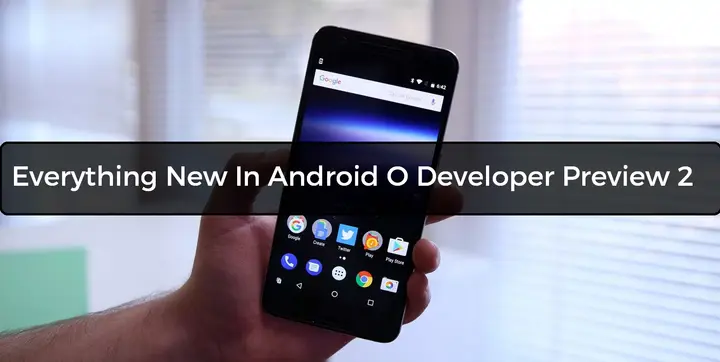
Google I/O is Christmas for Android enthusiasts, and every year people go crazy. We have often seen Google's Android developers working hard to bring new features to the all-new Android O. Last night, a new beta of Android O came out.
There are amazing features you will love to hear about. In today's article, I will tell you everything new in Android O Developer Preview 2.
Also Read: How to Install Android O Theme on Your Any Android Device
When it comes to finding the features of any new operating system, the first name that comes to mind is XDA-Developers. They keep finding each and every feature. This time, the features in Developer Preview 2 are just amazing, and you will love to hear more about them.
Google has optimized its software a lot. You can now easily run the new Android O on phones with 512 MB or 1 GB of RAM. That is the optimization, and there are some more features we will dive into and learn about.

Here's Everything New in Android O Developer Preview 2
Yesterday, when I was reading about the features of the all-new Android O, I saw that it is optimized a lot. For example, the boot time is also doubled. Suppose the speed of Android N is 100%. It has been increased to 219% in the all-new Android O.
Boot times matter a lot. Android O also has new notification badges, newly redesigned settings that are just amazing, and the new quick settings <3 .
Also Read: How to Enable Android O Boot Animation on Any Android Device
The name of Android O is not final yet, so you need to wait a while until it is. There are no changes in the new boot animation yet.
There are some new features in the all-new Pixel launcher, and we will discuss more of them in this article. So let's dive into the features of Android O.
Features:
- Redesigned Quick Settings
- Change Icon Shapes on Pixel Launcher
- Widget Selection from Long-Pressing the Icon
- Notification Dots on the Home Screen
- Night Light Introduces Intensity Slider
- Autofill Service Is Now Available
- Enhanced Battery Management Options
- New WiFi Preferences Screen and Network Rating Provider
- New Developer Options
- Redesigned Storage Settings
#1 Redesigned Quick Settings
As we saw in Android O Developer Preview 1 , a lot of changes were made to the quick settings page. There is also a new theme for the status bar, the grayscale theme.
Now, in the quick settings, you will see the carrier's name, battery information, settings and many other changes in Android O.
There was no significant change in the status bar since Android Lollipop, and now there are a lot of changes in the Android O status bar.
There are new status bar icons and amazing animations. The battery percentage is now outside the battery icon instead of inside it.

#2 Change Icon Shapes on Pixel Launcher
We have seen that round icons were available in Android N, but only on Pixel devices. We have also shared how you can port it if you have Android 7.1.x.
Now, the new Pixel launcher has settings that help you change the icons. We discussed in Android O Developer Preview 1 that new adaptive icons are coming soon in the new Android O.
We have seen new icon shapes such as square icons, rounded-corner rectangle icons, squircles and cylindrical icons.
Also Read: Download and Install Android O Pixel Launcher on any Android Device

#3 Widget Selection from Long-Pressing the Icon
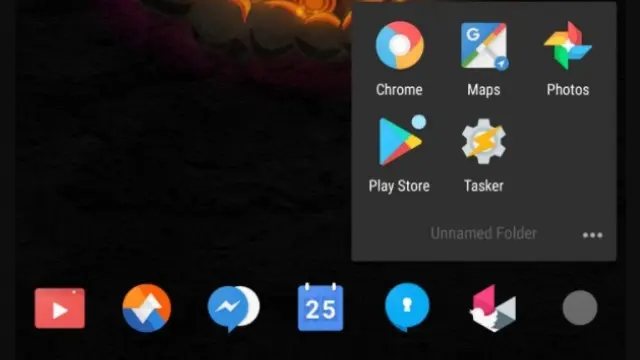
A new widget selection is now available. In the Google Launcher and the Pixel Launcher, when we press and hold the home screen, we see a widget selection. Now you can see the widget selection for a particular application.
Whenever you long-press an application, you will see the widgets of that application. This is fast and saves time, and you will love it.
Learn more and install this launcher on your Android device.
Also Read: Install Developer Preview 2 Pixel Launcher on your device.

#4 Notification Dots on the Home Screen
Notification dots are crazy and amazing. Whenever you receive a new notification from an application such as Instagram, you can long-press the application and look at the notification from the application itself.
You don't need to look at the status bar again and again. You can see more about this feature in the image above, where a new mail is shown by a long press on the home page.

#5 Night Light Introduces Intensity Slider
There was a new night light mode feature in Android N for Pixel and Pixel XL devices. Google removed it from the Nexus devices. The new night light mode is back again on all Pixel and Pixel XL phones, and now it has an intensity slider. You can select the color saturation according to your choice.
Remember, this feature is not available for the Nexus 5X and Nexus 6P because the hardware is not supported. Let's see what comes new in this feature in the coming developer previews.

#6 Autofill Service Is Now Available
If you are using Android N, you might have seen some applications, such as Twitter, that fill in your email ID and password automatically. It saves time. This support was available for only some applications. The Autofill service is now available for all applications.
You can fill in the password automatically by going to Settings –> System –> Languages & Input. Then expand the “Advanced” section, and you will see the Autofill service under “Input assistance.” You can select the autofill and add the application.
We have seen that it is currently supported for Google Play Services, and it is in the beta stage, so we need to wait for some time.

#7 Enhanced Battery Management Options
As we discussed in the previous article, Android O will save a lot of battery. Apps such as Facebook, Messenger and Hangouts take a lot of memory and consume a lot of battery.
So the new enhanced battery management options are given in Android O. If you don't like an application, you can turn off its background activity.
There are new options in Android O that show how long ago your last full charge was, your screen usage since the last charge, and your app usage since the last charge. These are some useful diagnostics available in the new Android O.

#8 New WiFi Preferences Screen and Network Rating Provider
There is a new WiFi Preferences screen and a Network Rating Provider in the all-new Android O. We have seen that whenever you are at home, your WiFi will be turned on automatically. This feature was available in Android O DP1.
Apart from all these options, there will be a new option in which your device will automatically connect to open networks.
The new option is called Network Rating Provider. We don't know yet what this option does exactly. We think there will be a rating of the network from Google. If the rating is high, that Wi-Fi will be connected automatically. This rating will be in the Google database.

#9 New Developer Options
In LineageOS, we saw some of the developer option settings available in the quick settings. Now it is official.
You can toggle on “show layout bounds”, “profile GPU rendering”, “force RTL layout direction” and “window animation scale.” Developers are excited about the profile GPU rendering tile. We need to wait for more settings in Android Developer Preview 2.

#10 Redesigned Storage Settings
Android O DP2 has totally redesigned the storage settings. Now you can see a progress bar that shows how much space is left on your device.
The advanced settings have been removed, and smart storage settings are available on the settings home page.

Video:
Source: XDA
We are looking for more features. We will update this post as soon as we find something new.

Topics
Comments (1)
Comments are closed. Have a question about this article? Ask through the contact page.

Thank you for writing articles that are useful to me. During this time I was looking for a quality article as you write today. Hopefully, this article is also useful