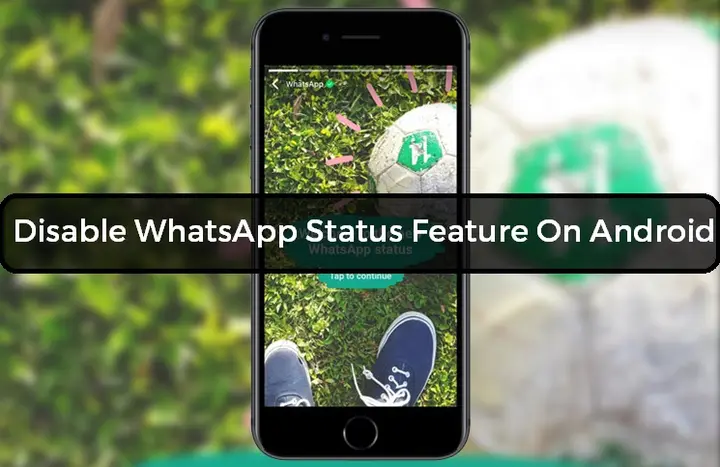
Do you just want WhatsApp Status to go away?
You're not the first. The day WhatsApp launched Status in 2017, my Facebook and WhatsApp feeds were full of people who didn't like the new look.
Short answer: you can't turn Status off, but you can hide the statuses you don't want, mute their notifications and keep your own status private. None of it needs root.
In my original post, I showed how to switch it off with an app called WA Tweaks, which needed a rooted Android phone. A lot has changed since then, so I've rewritten this guide.
Also Read: How to Save Someone's WhatsApp Status on Android and iPhone
TL;DR
- You can't turn Status off: WhatsApp says it's not possible to turn off or disable Status.
- Hide the ones you don't want: on Android, press and hold a status in "Updates" and tap "Hide". Hidden statuses go to "Hidden updates".
- Mute the pop-ups: open the contact's status, tap the three dots and mute notifications.
- Keep your own status private: set "Status privacy" to "My contacts except…" or "Only share with…".
- Skip the root method. It needs a rooted phone and can break banking and payment apps.
Can You Turn Off WhatsApp Status Completely?
No, not completely. WhatsApp's own help page says it plainly: it's not possible to turn off or disable WhatsApp Status.
Status now lives in the Updates tab, together with Channels, and there's no setting to remove that tab.
But you can get pretty close. You can:
- Hide the statuses you don't want to see.
- Stop status notifications.
- Hide your own status from everyone you choose.
Should You Still Use the Old Root Method?
No. In 2017, WA Tweaks could flip a hidden switch inside WhatsApp and bring back the old layout, but I wouldn't do that today.
- It needs a rooted phone, which weakens your phone's security and can break banking and payment apps.
- You have to install the app from outside the Play Store.
- Even back then, the switch could turn itself back on after a restart.
- WhatsApp says using unofficial versions of its app can get your account temporarily banned. An app that tampers with WhatsApp's settings is close enough that I wouldn't risk it.
So I've removed the old steps and screenshots. The built-in options below are safer and more likely to last.
WhatsApp Status Options at a Glance
| Option | What it does | Where to find it | Root needed? |
|---|---|---|---|
| Hide a status | Moves it into Hidden updates | Updates tab | No |
| Mute notifications | Stops pop-ups for that contact's statuses | Updates tab or the contact's chat settings | No |
| Status privacy | Controls who can see your status | Updates tab or "Settings" → "Privacy" → "Status" | No |
| WA Tweaks (old method) | Brings back the old layout | Third-party app outside the Play Store | Yes, not recommended |
Which Option Should You Use?
It depends on what bothers you:
- A cluttered Updates tab: hide the statuses you don't want to see.
- Constant pop-ups: mute notifications for that contact.
- People seeing your posts: change your status privacy.
How to Hide Someone's WhatsApp Status
Hiding a status moves it out of the way, into a separate Hidden updates section.
On Android
- Tap "Updates".
- Press and hold the status you don't want to see.
- Tap "Hide".
You can also open the status, tap the three dots and choose "Hide", then "Hide" again.
To see them later, go to "Updates" → "Hidden updates". To bring someone back, press and hold their status and tap "Unhide".
On iPhone
Go to the "Updates" tab, open the status and look for the same "Hide" option in its menu.
Don't worry, hiding someone's status doesn't stop them from seeing yours.
How to Stop WhatsApp Status Notifications
If it's the pop-ups that annoy you, mute them.
- Go to the "Updates" tab and open the contact's status.
- Tap the three dots.
- Tap "Mute notifications", then "Mute".
There's another way through the chat:
- Open your chat with that person, tap the three dots and choose "View contact".
- Tap "Notifications".
- Under "Statuses", turn on "Mute notifications".
Want to talk to someone without saving their number first? See How to Chat With Anyone on WhatsApp Without Saving Their Number.
How to Hide Your Own Status
Maybe you don't mind other people's statuses, but you don't want anyone to see yours.
- Tap "Updates".
- Tap the three dots and choose "Status privacy".
- Pick one:
- "My contacts": all your contacts see your status.
- "My contacts except…": everyone except the people you pick.
- "Only share with…": only the people you pick.
You'll also find the same options under "Settings" → "Privacy" → "Status".
The change applies to your next status. Statuses you've already posted keep their old setting.
Two things can still show your status to someone outside that list:
- If you mention someone in your status, they can see it.
- If you post a status to a group, every member of that group sees it.
And of course, if you never post anything, there's nothing for anyone to see.
Also Read: How to Post a WhatsApp Text Status on Android & iPhone
If you post longer clips, see also WhatsApp Status Video Limit: How to Post Longer Videos.
Is WhatsApp Moving Status Into the Chats Tab?
It's testing it. Meta's 2026 test puts status updates at the top of the main Chats tab in several countries, including Canada.
If you're in that test, you can swipe down to make the status row smaller, or hide updates from specific contacts. There's no word yet on whether it will reach everyone.
Final Thoughts
You can't disable WhatsApp Status completely, and no setting removes the Updates tab.
Hide the statuses you don't want, mute the ones that buzz you and lock down your own status privacy. For most people, that's close enough.
Don't root your phone for it. The built-in options do the job without the risk.
Meta's test of status in the Chats tab could change the layout again, so check the Updates tab after big WhatsApp updates. For more WhatsApp tips, see How to Use WhatsApp as Your Personal Notes and Bookmarks App.
FAQs
Can I completely turn off WhatsApp Status?
No. WhatsApp says it's not possible to turn off or disable Status, but you can hide statuses, mute their notifications and control who sees your own.
Does hiding someone's status stop them from seeing mine?
No. Hiding someone's status doesn't stop them from seeing yours.
How do I stop WhatsApp status pop-up notifications?
Open the contact's status in the "Updates" tab, tap the three dots and choose "Mute notifications", then "Mute". You can also turn on "Mute notifications" under "Statuses" in the contact's "Notifications" settings.
Is it safe to use a root app to disable WhatsApp Status?
I wouldn't. Root weakens your phone's security and can break banking and payment apps, and WhatsApp says unofficial versions of its app can get your account temporarily banned.
How do I stop people from seeing my WhatsApp status?
Go to "Updates", tap the three dots and choose "Status privacy", then pick "My contacts except…" or "Only share with…". Mentions and posts to a group can still reach people outside that list.
Still stuck? Tell me through the contact page.

Topics
Comments (2)
Comments are closed. Have a question about this article? Ask through the contact page.


Nice post
Thanks