TechVerge
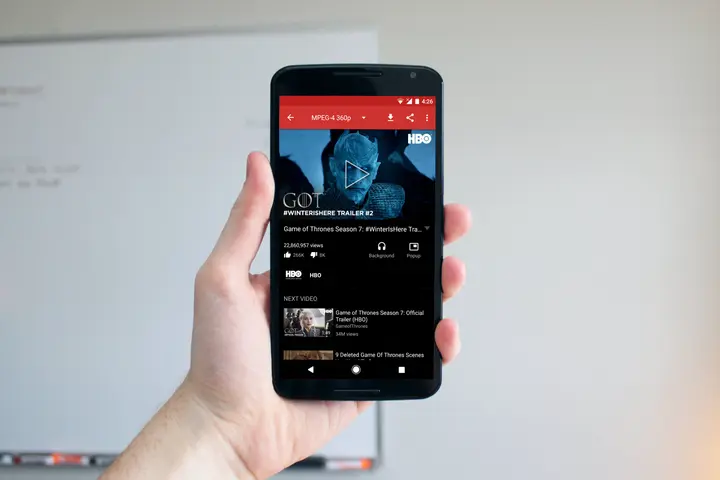
Want to watch YouTube on Android without ads?
Or keep a video playing in the background, or in a small floating window?
NewPipe is a free, open-source YouTube app for Android. You can get it from F-Droid, NewPipe's own F-Droid repository or GitHub, but not from Google Play.
When I first wrote about it in 2017, NewPipe was at version 0.9.9, and the download link in my post pointed to a file on Google Drive. NewPipe is now at version 0.29.1, released in August 2026.
So I've removed my old link and updated this whole guide. Here's what NewPipe does, how to install it safely, and how to fix the most common problems.
Also Read: How to Play YouTube in the Background on Android & iPhone
TL;DR
- What it is: a free, open-source YouTube app for Android with no ads and no Google account needed.
- Where to get it: F-Droid, NewPipe's own F-Droid repository or GitHub releases. Not Google Play, and not APK download sites.
- Requirements: Android 6.0 or newer. NewPipe dropped support for Android 5 in 2026.
- Stick to one source: the F-Droid and GitHub versions are signed with different keys, so Android won't let one update the other.
- Watch the rules: YouTube's terms don't allow downloading its content unless it expressly allows it, so only save videos you have the right to save.
What Is NewPipe?
NewPipe is a free, open-source YouTube app for Android.
It doesn't use Google's libraries or the official YouTube API. Instead, it reads YouTube's website directly.
That means it works on phones without Google services, and you don't need a Google account to use it.
It isn't only for YouTube, either. It also supports PeerTube, SoundCloud, Bandcamp and media.ccc.de.
What YouTube's Terms Say About NewPipe
Before you install anything, know where NewPipe stands with YouTube.
YouTube's Terms of Service don't allow you to download its content unless YouTube expressly allows it. They also don't allow accessing YouTube through automated means like scrapers.
NewPipe isn't made or approved by YouTube, so whether you use it is your call. If you do, only download videos you have the right to save.
If you want the official way to get no ads, background play and offline downloads, that's YouTube Premium.
What Can NewPipe Do?
Here's what NewPipe offers:
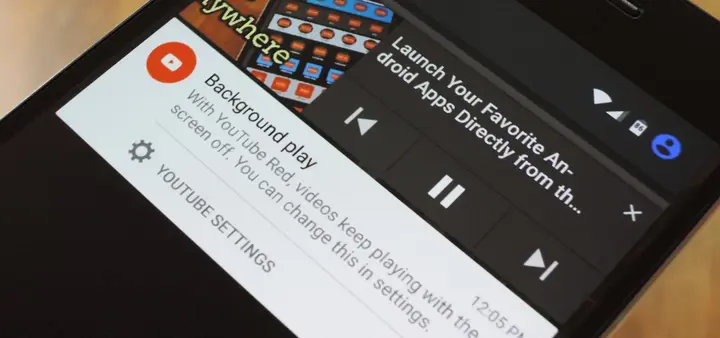
- Background player. Keep listening while you use other apps. It only loads the audio, so it saves mobile data too.
- Popup player. Watch in a small floating window you can move and resize.
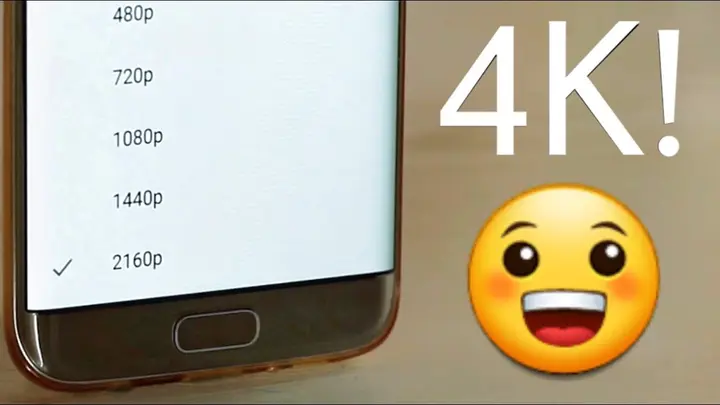
- Downloads. Save the video, the audio or the captions, and choose the format and quality.
- Subscriptions without an account. Subscribe to channels with one tap, and import or export them.
- Playlists, bookmarks and history. All saved on your phone, and you control what's kept.
- No ads, no login. NewPipe doesn't use Google's APIs, and your data stays on your device.
- Open source and light. Anyone can read its code on GitHub.
Where to Download NewPipe Safely
NewPipe isn't on Google Play. Its official website, newpipe.net, lists these download options:
| Source | What to know |
|---|---|
| F-Droid | The free, open-source app store. It keeps NewPipe updated for you. |
| NewPipe's own F-Droid repository | Gets updates faster. The link and QR code are on newpipe.net. |
| GitHub releases | Download the APK file directly. |
If you see "NewPipe" on Google Play or on an APK download site, it didn't come from these official sources. Skip it.
My advice is to use F-Droid, since it's the easiest way to keep NewPipe up to date.
Also Read: Where to Download Android APKs Safely (Mobile and PC)
Requirements
- An Android phone with Android 6.0 or newer
- Permission to install apps from outside Google Play (Android asks you the first time)
How to Install NewPipe With F-Droid
This is the way I'd recommend, because F-Droid keeps NewPipe updated for you.
- On your phone, go to f-droid.org and download the F-Droid app.
- Open the downloaded file. The first time, Android asks you to allow your browser to install apps. This is the "Install unknown apps" setting. Allow it, go back, and install F-Droid.
- Open F-Droid and let it load its app list.
- Search for NewPipe and install it.
How to Install NewPipe From GitHub
If you'd rather download the APK yourself, use the GitHub releases page.
- Open the NewPipe releases page on your phone.
- Under the latest release, download the APK file.
- Open it and install it, the same way as above.
If you want to be extra careful, newpipe.net also lists the fingerprint of NewPipe's signing key, so you can check that your APK is the real one.
Don't Mix Your Sources
This one catches a lot of people. The F-Droid version and the GitHub version are signed with different keys, and Android won't let one update the other.
So pick one source and stick with it.
If you have to switch, back up your NewPipe data first. Otherwise, you'll lose your subscriptions, history, playlists and settings when you uninstall.
Is Android Blocking Apps Like NewPipe?
Google is rolling out developer verification for Android apps. The first phase starts on September 30, 2026, for apps from participating app stores like Google Play and Samsung Galaxy Store, in Brazil, Indonesia, Singapore and Thailand.
Google plans to expand it to all apps on certified Android devices in 2027. NewPipe's team has said they won't register, because it would mean giving up their developers' anonymity.
If this ever affects your phone, Google says unregistered apps can still be installed with ADB, or through a one-time "advanced flow" for power users. That flow includes a one-day wait, and you'll still see a warning before you install.
How to Use NewPipe
- Open NewPipe and tap the search icon.
- Search for a video and open it.
- Play it normally, or choose to play it in the background or in a popup window.
- To save it, use the download option and pick the format and quality you want.
One tip for downloads: on Android 11 and newer, you can't save straight into the main Download folder. Create a new folder just for NewPipe and choose that one.
NewPipe doesn't play downloaded files itself. Open them with your phone's video player.
Also Read: 8 Best MX Player Alternatives for Android in 2026
Common NewPipe Problems
YouTube Asks You to Sign In to Confirm You're Not a Bot
NewPipe's FAQ says YouTube may have blocked your IP address for a while, for example after too many requests when you refresh your feed. Wait a bit, or switch networks, like from Wi-Fi to mobile data.
Public Wi-Fi and VPNs can trigger this too.
Videos Suddenly Won't Load
YouTube changes its website often, and NewPipe has to keep up. Update to the latest version first.
Can I Log In or Post Comments?
Logging in isn't supported, on purpose. Its developers say a login would let services track you, so you can read comments but not post them.
Final Thoughts
NewPipe is still one of the best open-source apps for Android. It's light, it has no ads, and it doesn't need a Google account.
Get it from F-Droid, NewPipe's own repository or GitHub, never from a random APK site. Stick to one source so updates keep working.
Keep in mind that YouTube's terms don't allow this kind of download. If you'd rather stay on the official side, YouTube Premium gives you no ads, background play and downloads.
FAQs
Is NewPipe free and safe to use?
NewPipe is free and open source, and you can read its code on GitHub. Only get it from F-Droid, NewPipe's own F-Droid repository or GitHub, because a "NewPipe" on Google Play or an APK site didn't come from the official sources.
Does NewPipe work on phones without Google services?
It works on phones without Google services, because NewPipe doesn't use Google's libraries or the official YouTube API. You don't need a Google account to use it.
Can I log in to NewPipe or post comments?
NewPipe doesn't support logging in, on purpose. You can read comments in NewPipe, but you can't post them.
Can I switch between the F-Droid and GitHub versions of NewPipe?
Yes, but back up your NewPipe data first.
The F-Droid and GitHub versions are signed with different keys, so Android won't let one update the other. Without a backup, you'll lose your subscriptions, history, playlists and settings when you uninstall.
Still stuck? Tell me through the contact page.