 TechVerge
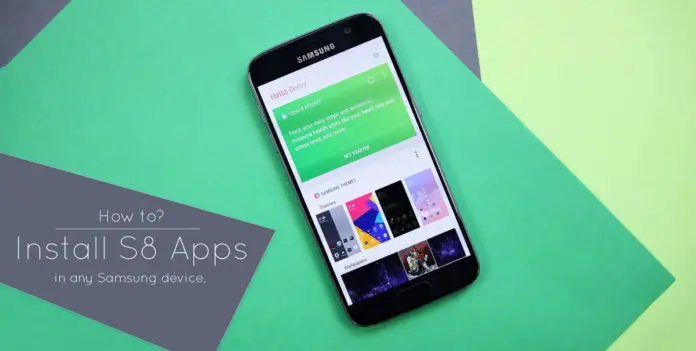
The Samsung Galaxy S8 is the best smartphone, and it has the latest Bixby, which was launched only on the Samsung Galaxy S8 and S8 Plus.
Bixby is an AI just like Google Assistant, but it is only for Samsung devices. Today, we are going to show you how to install Bixby & other S8 apps on any Samsung device.
Also Read: How to Enable Android O-Like Notification Dots on Any Android Device
According to a recent article from The Verge, Samsung's software has caught up to its hardware for the first time. It is incredible, and it makes your device smooth. If you like the new Samsung Galaxy S8, you can also enjoy the look and feel of the S8 and S8 Plus on your other Samsung device.
Today, we are going to share some apps that will help you make your Android device look like the Samsung Galaxy S8, along with some system apps you can use on your device.

Install Bixby & Other S8 Apps on Any Samsung Device
The Samsung S8 apps can be used only on Samsung devices, and you don't need a rooted Android device to try them. You can also try the S8 launcher on your device without root. You can enjoy the all-new Samsung Bixby only if you install the S8 launcher.
Also Read: How to Flash Custom Recovery/Kernels Using Flashify
One of the drawbacks of these apps is that you can't run them on your device if it has Android 5.x Lollipop installed or if you are using a custom Android ROM.
We have heard from a lot of users that TouchWiz is the best in terms of customization compared to the stock ROM. If you try TouchWiz on your device, you can easily customize your app drawer and make other changes.
This senior XDA member stated that you can try installing this mod on a stock Android device. But the main aim of porting it was to try these apps on Samsung devices running Marshmallow and Nougat.
Also Read: How to Install System-less Xposed to Receive OTA Updates & Android Pay
Downloads and Requirements:
- Samsung S8 launcher apk for Android MM / Android N
- Bixby Apk File.
- Make sure you have enabled unknown sources.
- A Samsung phone running Android Marshmallow or Nougat.
How to Install the Samsung Galaxy S8 Launcher
- Download the launcher from the link given above. Make sure you check your Android version in 'Settings > About Phone.'
- Go to "Settings > Apps" and clear the TouchWiz Launcher data.
- Now, install the Samsung Galaxy S8 launcher on your device.
- If your new TouchWiz launcher crashes, try clearing the data of both launchers and try again. This will fix the issue.

- If the launcher doesn't install on your device, your device is not supported.
How to Install Bixby on Any Samsung Device
- Make sure you have installed the Samsung Galaxy S8 launcher on your device.
- Install the Bixby apk on your device.
- Now, go to your home screen, long press it and tap Settings.

- Tap "Hello Bixby" and turn on Bixby on your device.
- Reboot your device.
- Now, swipe left and you will see the Bixby cards on your device.

Important Note: The developer has only ported the Bixby cards. Many users stated that the Bixby voice assistant is under development by the developer.
You can try the Bixby cards, which are the best alternative to Google Now cards, on your Samsung device. If the Bixby AI port becomes available for Samsung, we will update this post.
Other Samsung Galaxy S8 Apps for Any Samsung Device

- Calculator: Download
- Weather: Download
- Gear Manager: Download
- Email: Download
- Music: Download
- Notes: Download
- Voice Recorder: Download
- Video: Download
- Translator: Download
- Samsung S8 official wallpapers: Download
How to Uninstall the Installed Apps
- Go to "Settings > Application", tap the "3 dots" and tap "Show System Apps."
- Search for the app and tap "Uninstall Updates."
- That's it! You have successfully uninstalled the apps from your device.
Source: Devs-Lab
Video Tutorial:
Final Verdict
This way, you can install the Samsung Galaxy S8 apps on any Samsung device. Don't forget to try this method on other phones too.
Share this article with your friends and let them know about these wonderful apps they can try on their devices. Stay tuned for the update on the Bixby voice assistant.
If you get stuck, or if it worked for you, tell me through the contact page.